


A cross join combines every row from one dataset with every row from another, producing every possible combination.
To do this in Alteryx, bring both tables into your workflow as separate inputs.
Then, you’re going to want to use the “Append” Tool, which can be found under the “Join” Tools.

Drag it onto your canvas, then connect it to your two datasets.
The top input anchor should be the Target dataset, which is conceptually the "base" table you're building on top of. The bottom input anchor is the Source dataset, which is what is being appended.
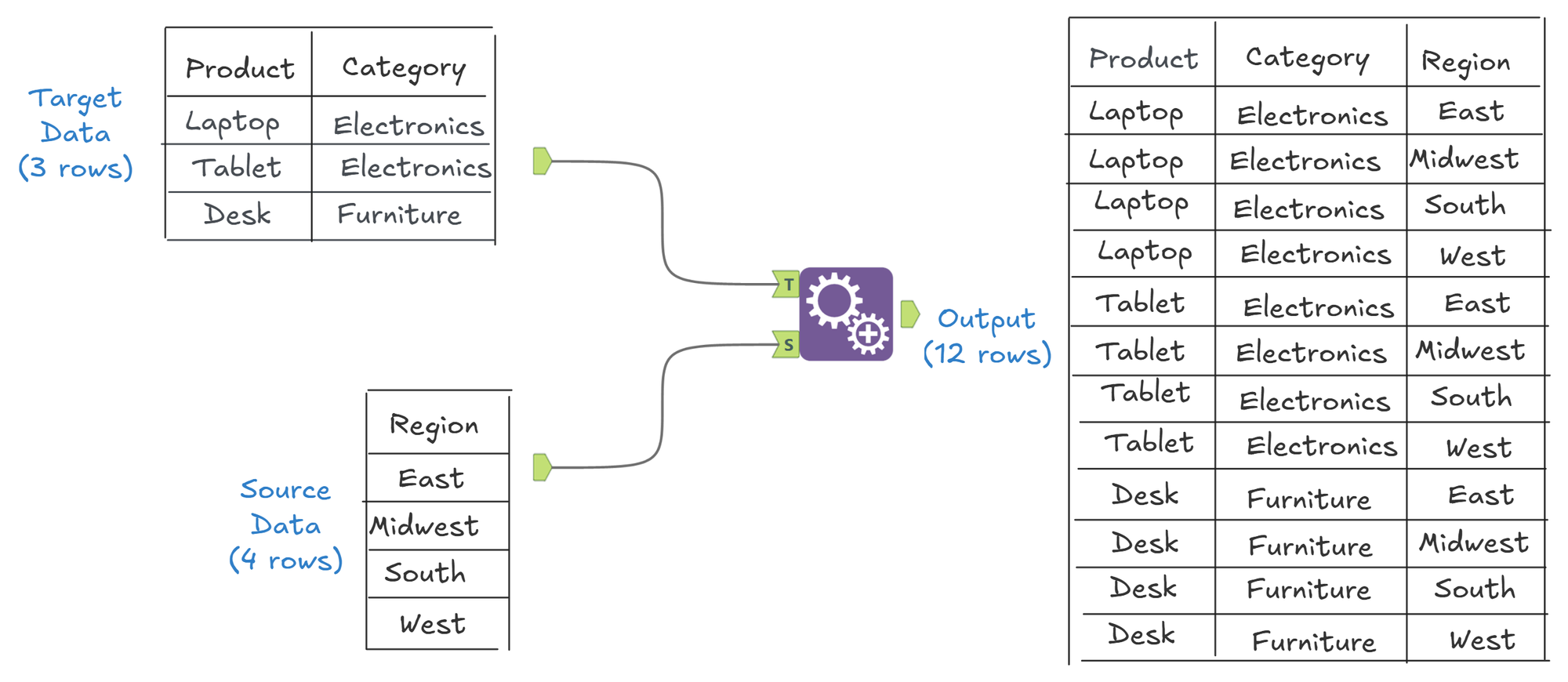
The output will be your full cross join: every product and category row paired with every region – all combinations covered. You'll also notice that the number of rows will be the product of the two datasets you're feeding into it. In this example, the Target data is 3 rows and the Source data is 4 rows, so the output is 3 × 4, or 12 rows.
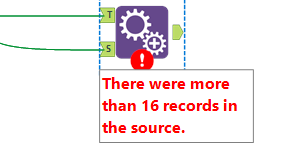
If you try to append more than 16 rows, you’ll get this error message:
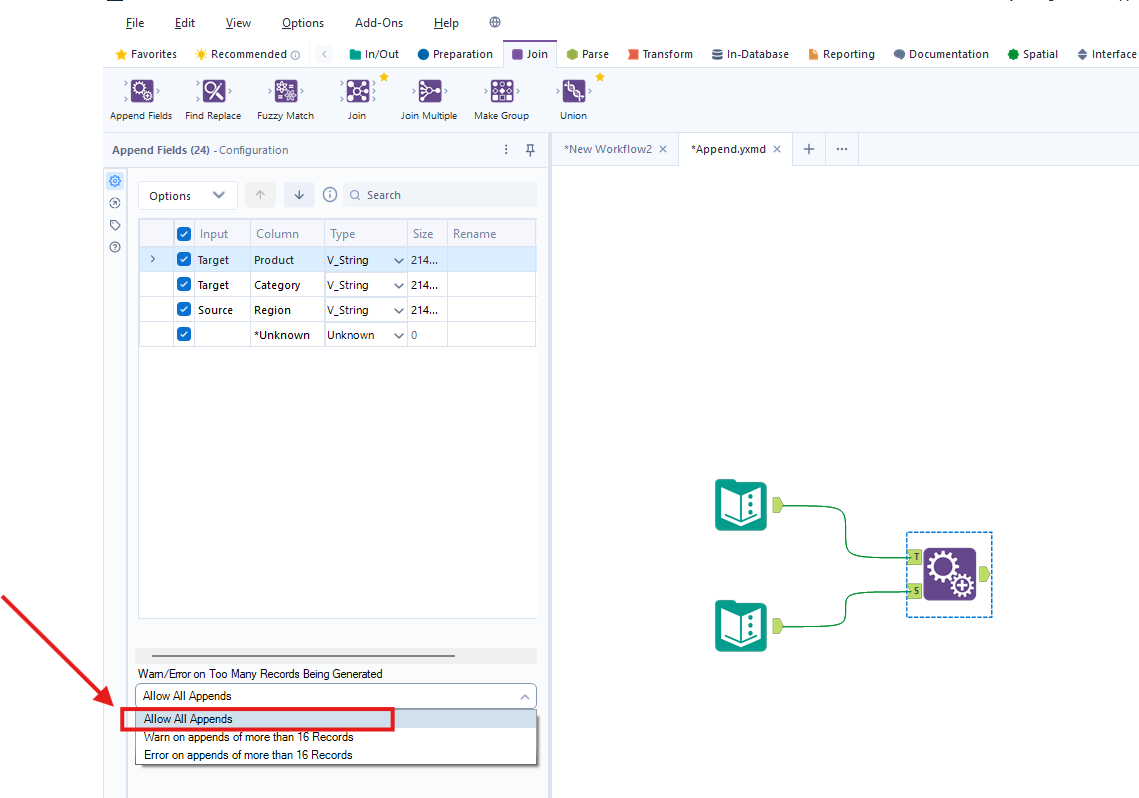
To get around this, adjust the settings in the left-hand sidebar. Click on "Warn/Error on Too Many Records Being Generated," then select "Allow All Appends." However, keep the math in mind before you do this, since two large tables can explode into millions of rows quickly!
That’s it!