


What do you do when your data’s date field is at low granularity, for example, you only have a single relationship start date but you need your data to include every day in between up to today’s date? That’s where scaffolding comes in. By using the New Rows function in Tableau Prep, you can generate rows for each missing date at the desired granularity, giving you a complete, continuous timeline for your analysis.
In Tableau Prep, you can generate rows at a monthly or daily level of detail. We’ll explore this in detail with a data prep challenge.
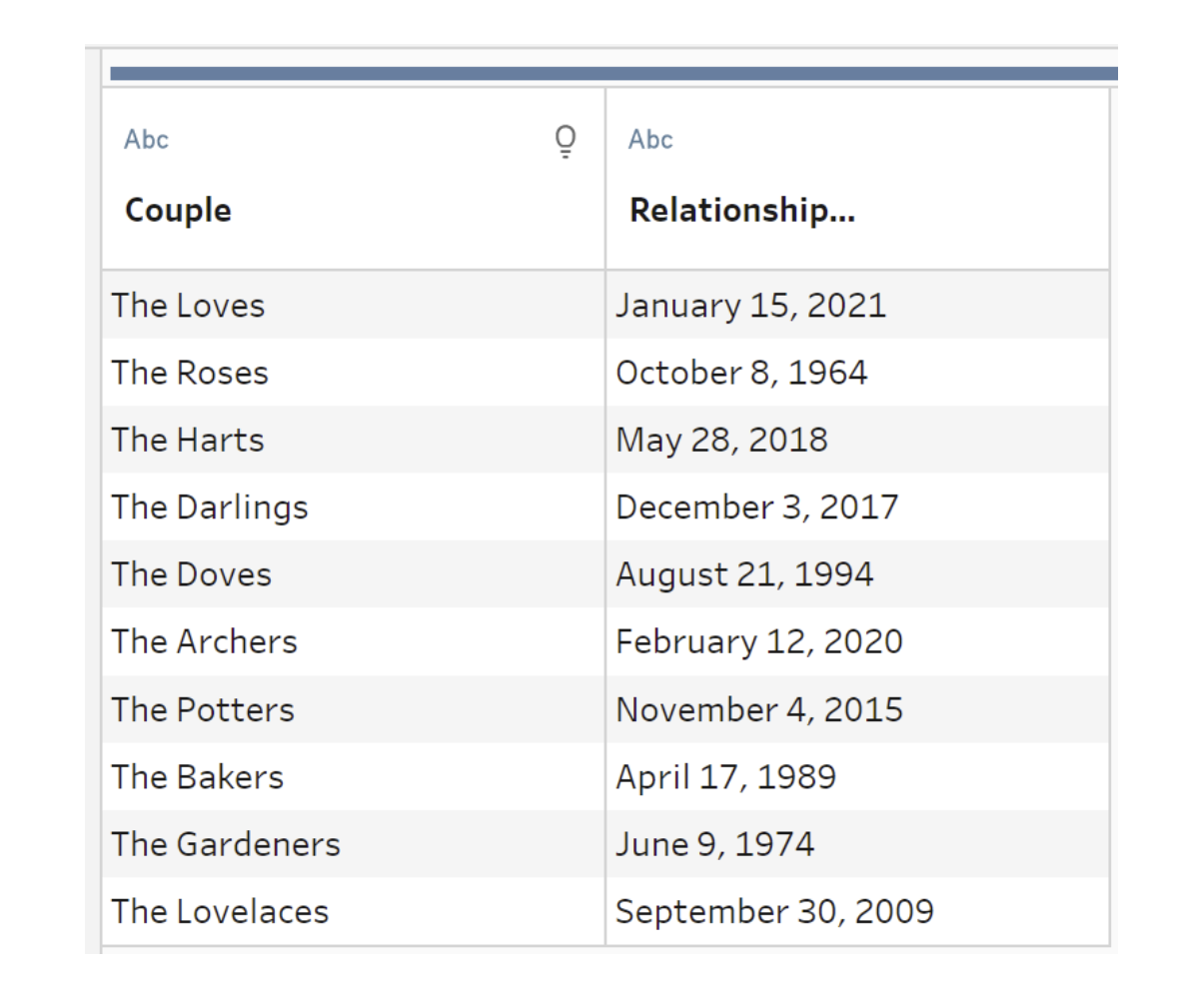
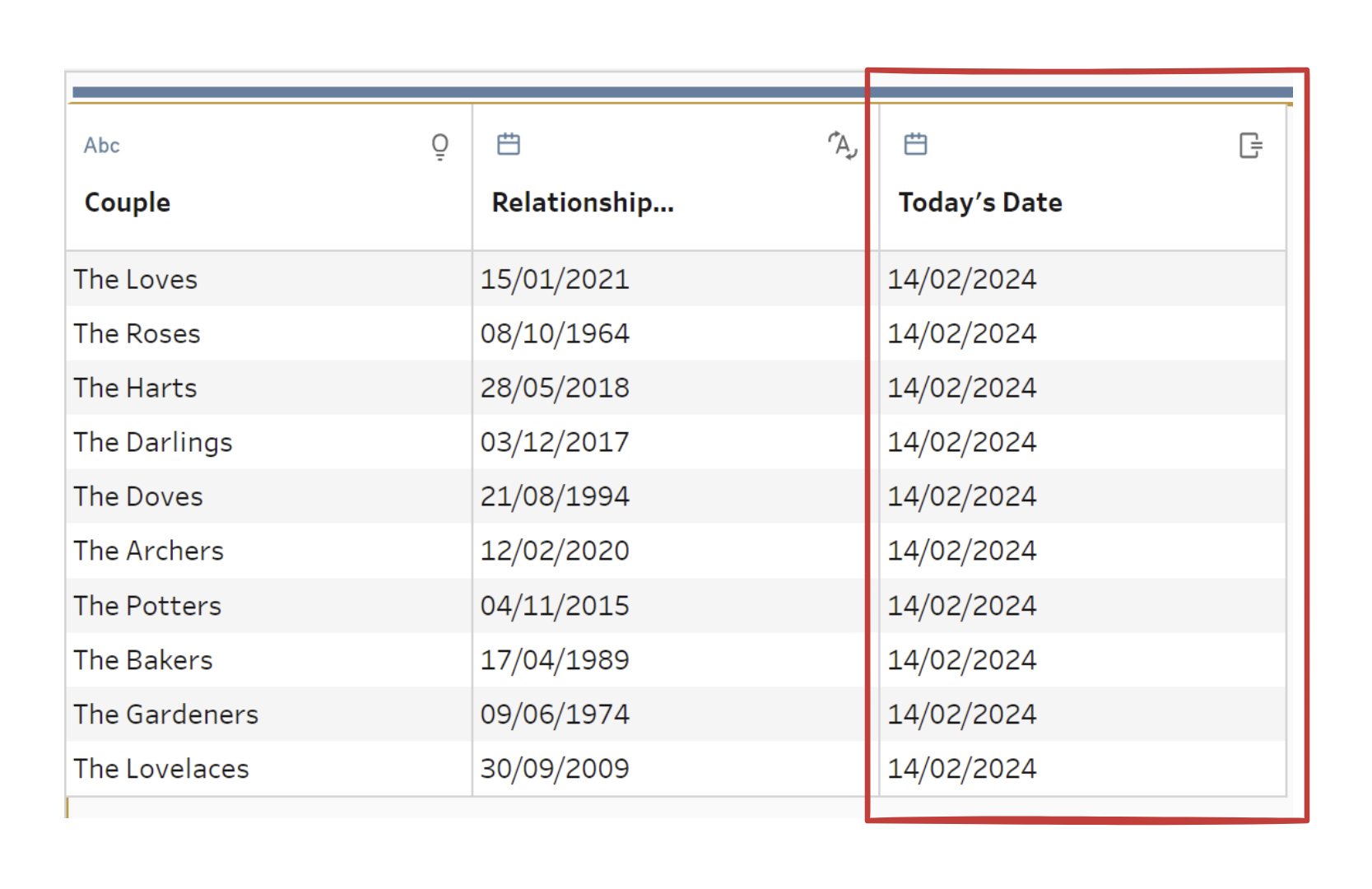
As you can see, there is only a relationship start date for each couple. The first step we’ll take is to create a new field for today’s date using MAKEDATE(). This allows us to perform scaffolding, since the New Rows function needs both a start and an end date to generate new rows. But you can select a single date to scaffold from but Prep will decide when that scaffolding ends. Make sure to change your start date field to the Date data type if it’s currently a string — scaffolding requires both dates to be in Date format.
Now you’re ready to perform scaffolding. Tableau Prep lets you choose whether the new rows will copy values from the previous row or remain null/zero. For this challenge, we will copy from the previous row so that each scaffolded day inherits the couple’s information.
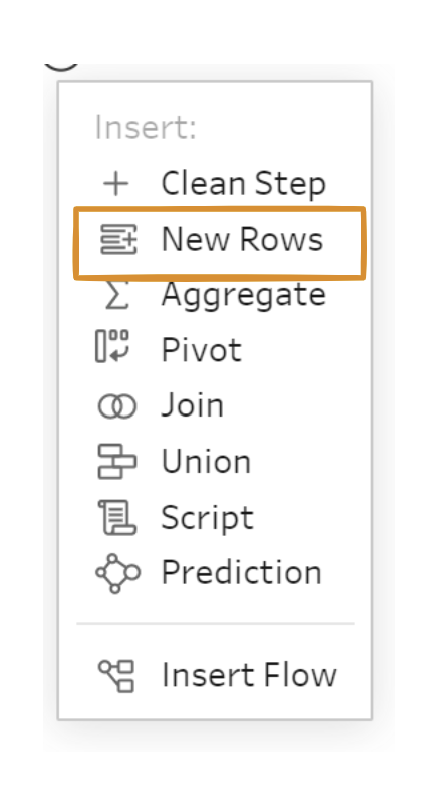
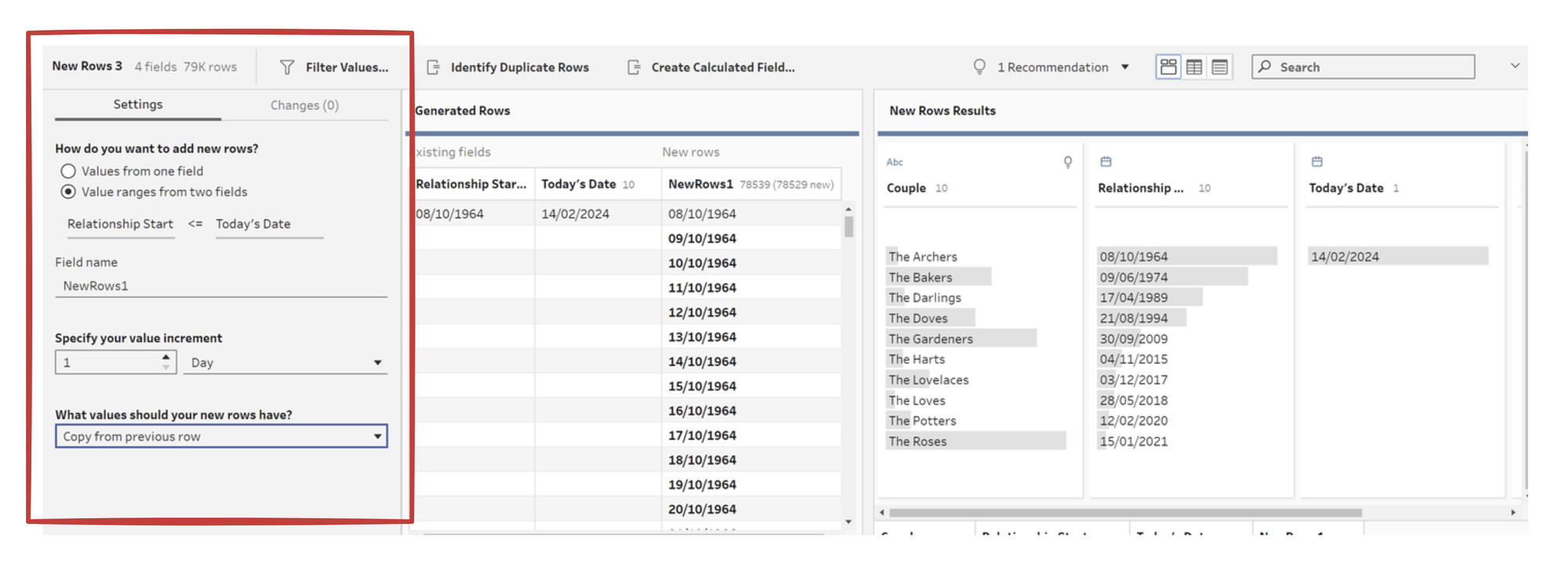
The next steps I took to complete the challenge were:
- Performed DATEPART() twice on the scaffolded dates to get the day and month.
- Filtered to keep only dates matching 14th February (Valentine’s Day).
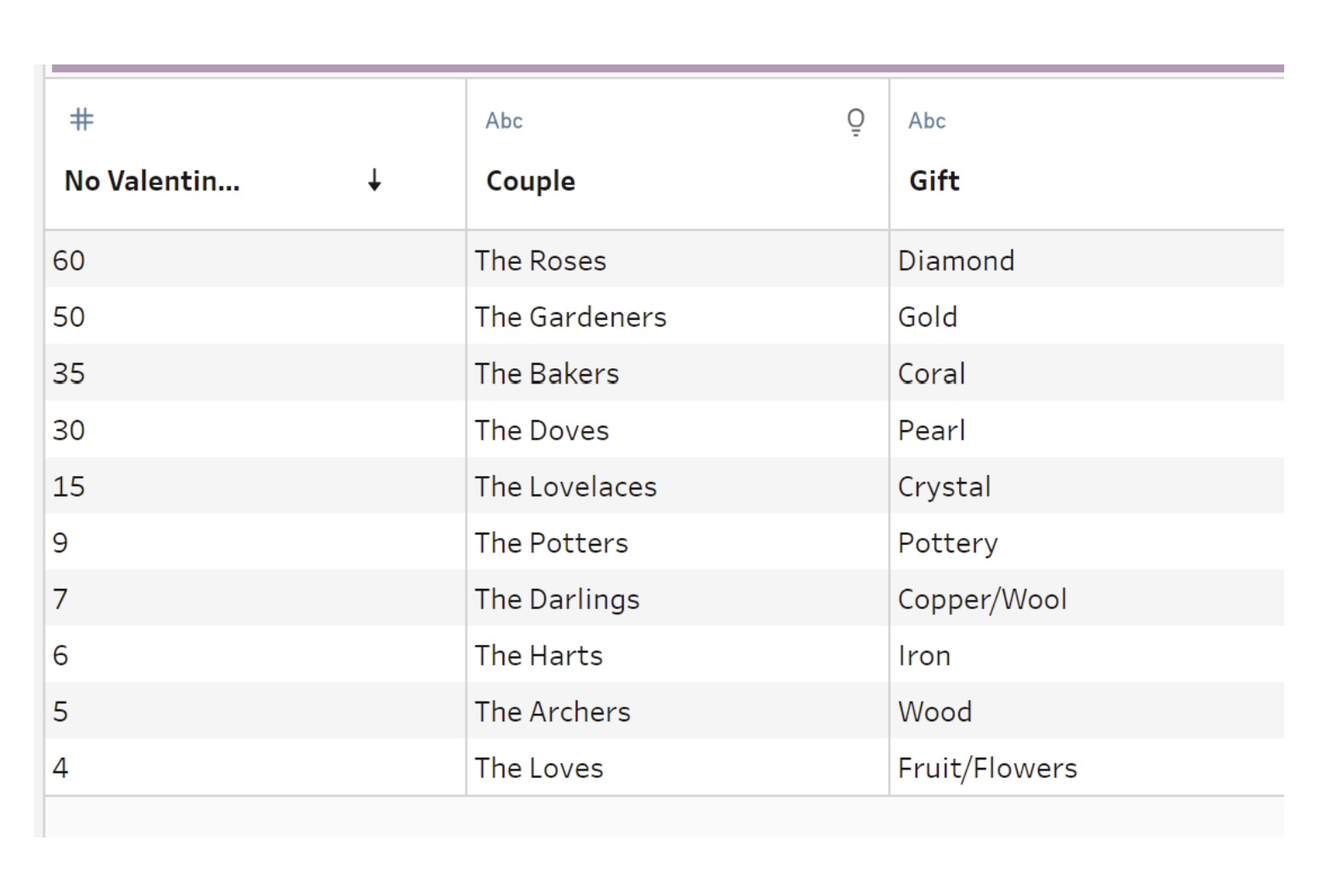
- Cleaned the gift table by removing letters from the year column and converting it to an integer.
- Joined the scaffolded data with the cleaned gift table on the calculated Valentine’s year.
Once joined, I was able to generate the final result with the number of Valentine’s Days each couple experienced.
To summarise, the New Rows function in Tableau Prep is an excellent tool for transforming data from low granularity to higher granularity. This example shows what’s possible: you could have an order date and want to calculate the number of days until the next order, or you might have yearly-level data but need monthly-level granularity. There are many reasons you might perform scaffolding, and I hope this elevated your understanding of how it works. It might sound intimidating at first, but it’s a very powerful tool for building richer, more insightful timelines.
Have a go at the challenge yourself!
 Jenny Martin