


Data preppin' Challenge Week 4 - 2023
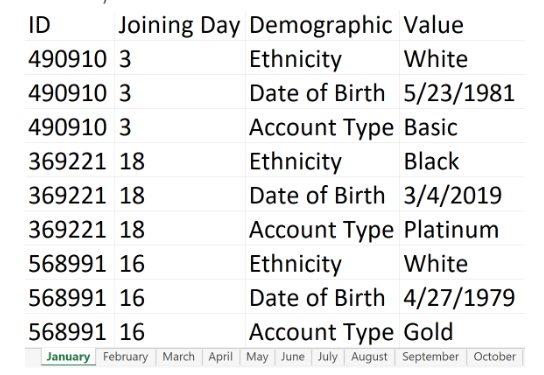
Input Data
Output Data
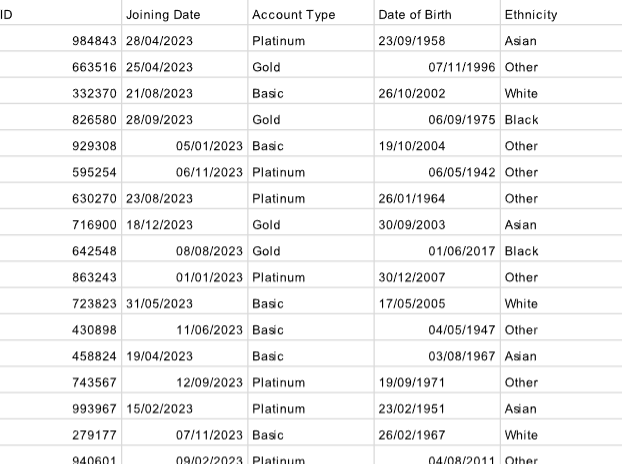
Whenever you are doing data prep the best thing you can do first is carefully look at the input and output data and plan! This will make the process of cleaning the data much smoother.
You can do your plan on excalidraw or even just pen and paper
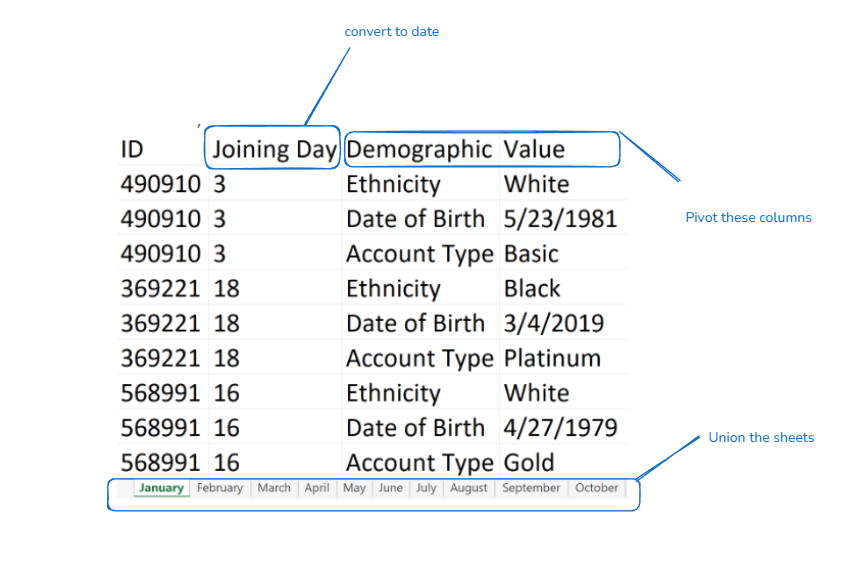
Now we can start cleaning.
- Import the data into tableau prep.
- We need to union the sheets - there are 2 ways to do this.
- We can do a wildcard union or simply drag and drop the sheets on top of each other.
Due to the amount of sheets we have to union I would recommend doing a wildcard union:

- After the union we can see that there are multiple columns for demographic. The reason they have not merged into one is because they have been spelt incorrectly. We can fix this by merging them together.
- Converting the joining day to a date. We know the data is for 2023 and we can take the month from the table names column generated from the union in the beginning.
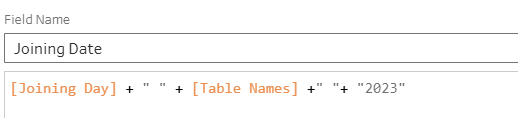
Make sure to convert it to date afterward!
- Pivot the demographic column
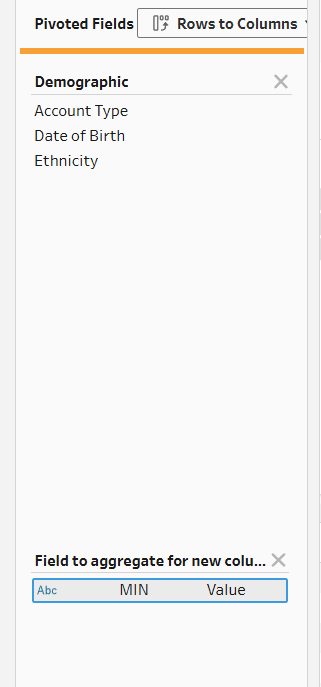
After the pivot we can see an inconsistency in the data:
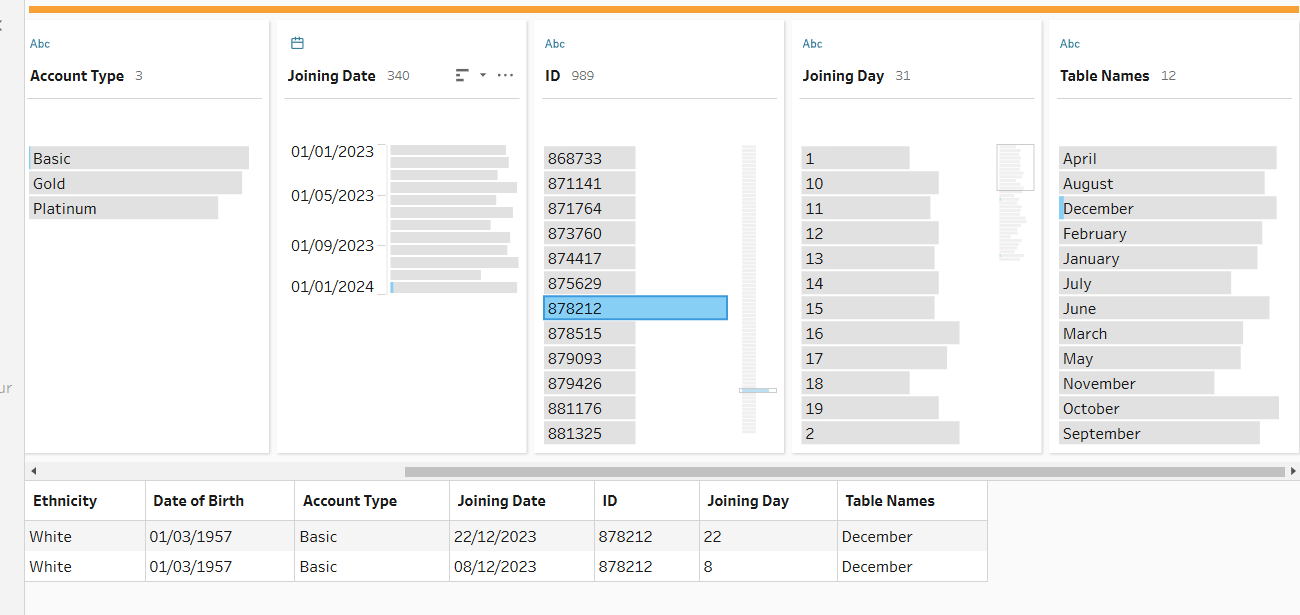
The ID should be unique but we have a duplicate which we can fix by aggregating the data.
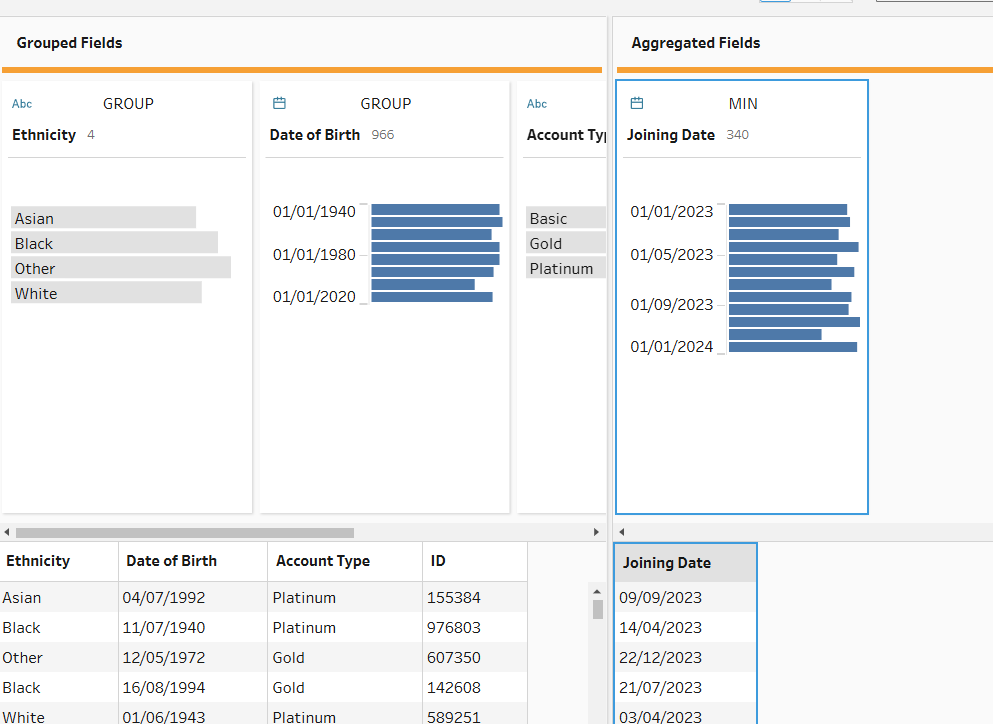
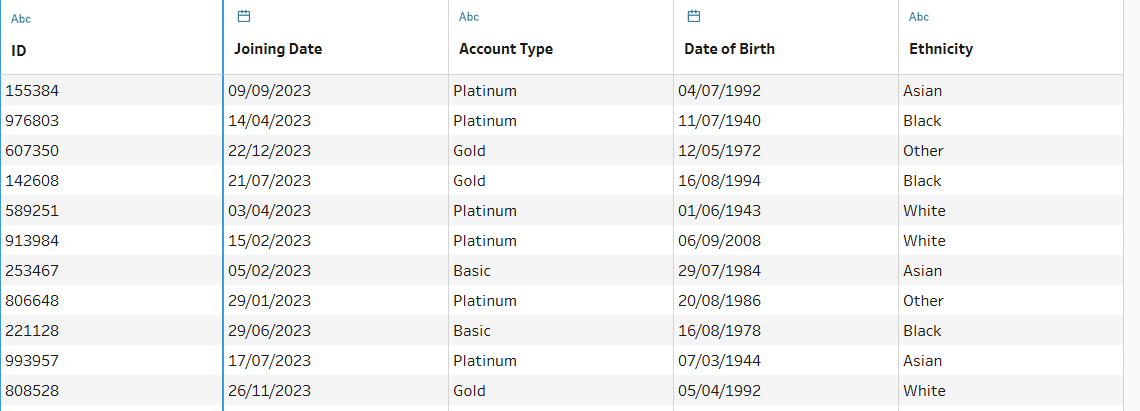
The data is now ready able to be outputted.
Note: When cleaning data it is a good practice to label each step so it is clear to see what the steps you have taken are.

Also make use of the profile panes in each step to analyse the distribution of the data for any inconsistencies and always check the data types!
Happy cleaning 😄