


For my first personal development session I chose to practice my data cleaning skills in Alteryx through the following challenge "Alteryx Challenge #464 - Bank Failure Analysis". I found that this was mostly focused on date functions which I really enjoyed, as it was something that I struggled with in Tableau Prep.
This blog is going to be a walkthrough on how I went about solving this challenge, I recommend it as a beginner friendly challenge if you'd like to give it a try!
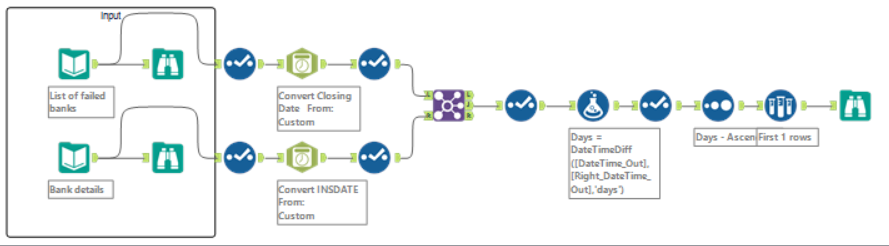
The Challenge uses two input files:
List of Failed Banks https://www.fdic.gov/resources/resolutions/bank-failures/failed-bank-list/index.html
Bank Details https://banks.data.fdic.gov/docs/#/History/getHistory
Step 1: Browse the input data, by dragging and connecting the browse tool to each of the input files. They should look like the below snapshots.
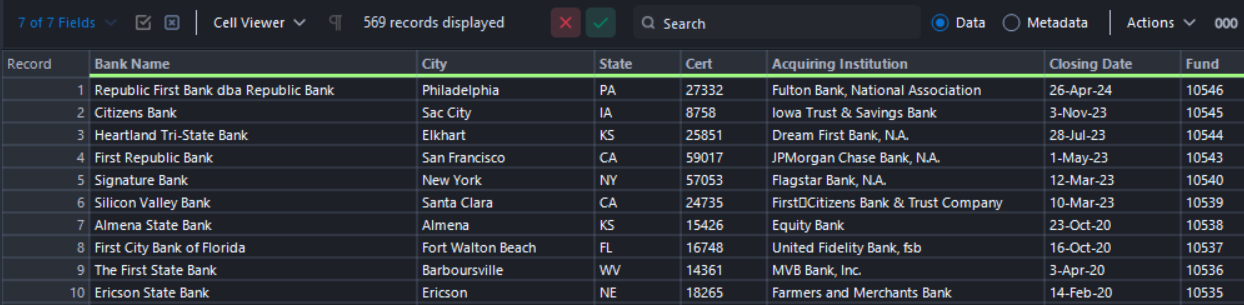
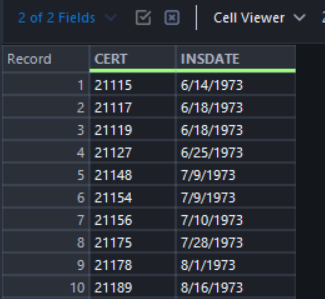
Step 2: Explore the data types for your date fields by dragging in the Select tool - notice how closing date (List of Failed Banks) and INSDATE (Bank Details) are both string fields.
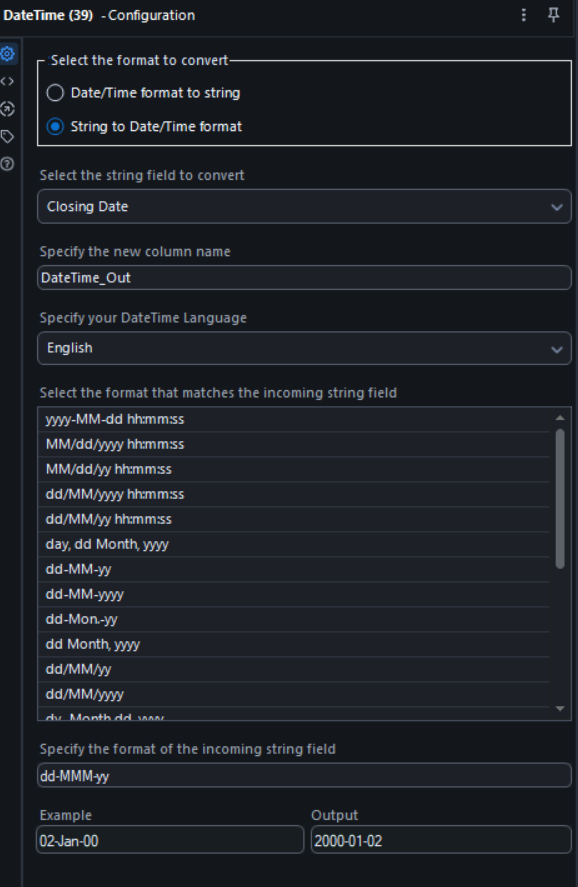
Step 3: Drag in the Convert Date tool > string to date format > custom. Because the date data in the two tables exist in a different format to each other, we want to change them so they are in the same format.
Tip: For the Closing Date the string format is dd-MMM-yy and for the INSDATE is M/dd/yyyy. This is required to define the format of the incoming string field so that is correctly converted into the date format in the output.
Step 4: Remove unnecessary fields by dragging in another Select tool, then join the two data streams on the common field cert = CERT. Using the inner join (J) create a Days field with the Formula tool, that counts the number of days between the date a bank was established and the date it was closed.
Tip: The formula is using a datediff function like in Tableau Prep, just in a slightly different order. Assign the data type to integer (Int32) in the new field you just created.
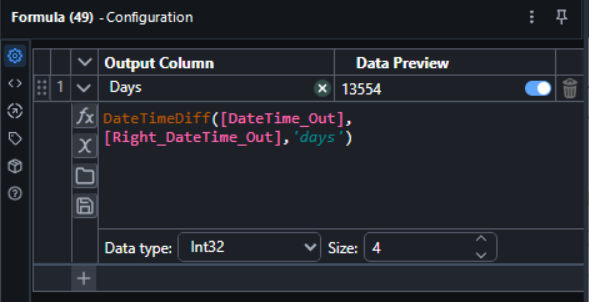
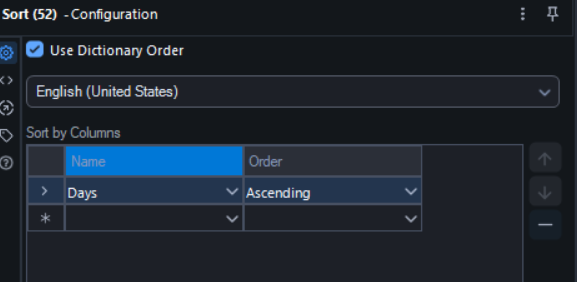
Step 5: Remove unnecessary fields, and use the Sort tool to sort by "Days" value in ascending order to find the bank with the least amount of days between being established and closing.
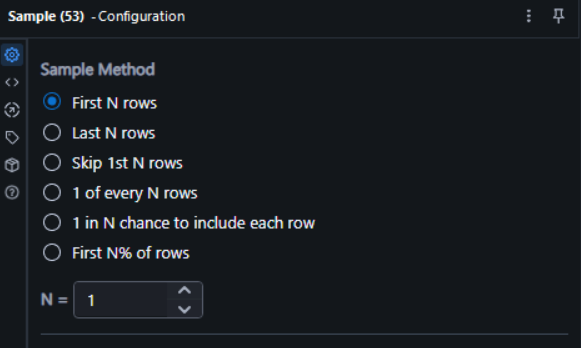
Step 6: Lastly, use the Sample tool to filter the data to a single record that fulfills the above statement.
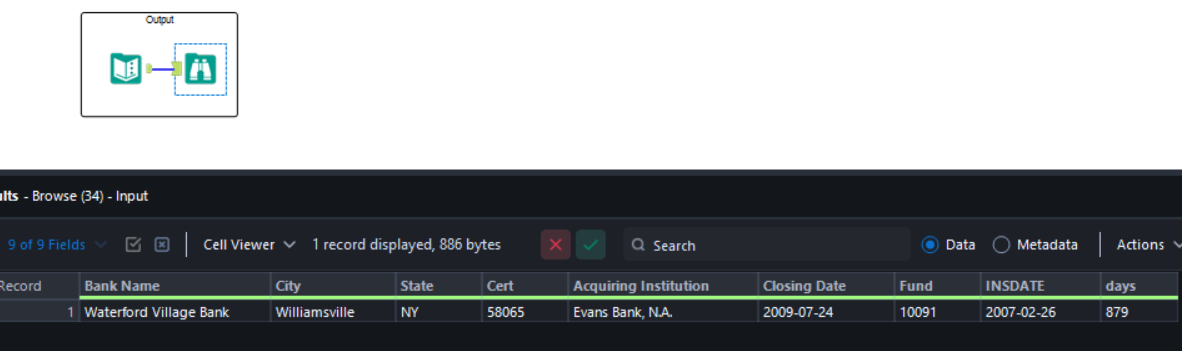
The end output should be the below:
Hope you found this helpful and maybe motivational to go ahead and solve your next data cleaning/prepping challenges in Alteryx at https://community.alteryx.com/t5/Weekly-Challenges/bd-p/weeklychallenge#post_time|solved-and-unsolved||1