


For this week's personal project I chose to practice my newfound REGEX skills through a challenge from Preppin' Data found here https://preppindata.blogspot.com/2020/11/2020-week-46-solution.html. Although this challenge was designed for solving in TableauPrep, I thought that I could make this more challenging for myself by solving in Alteryx instead!
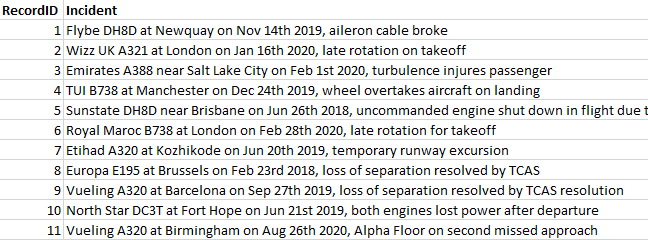
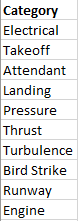
The initial inputs that were used in this challenge were:
- Incident List
- Category List
Overview: "At Prep Air, we have decided to do some research into the risks of running an airline. We want to complete some analysis on some historic aviation incident reports so we can try to identify potential areas where we can make our airline safer."
In this challenge, my task was to parse out the key information about the incident from a free text field, and then see how many incidents occur that are related to the key categories.
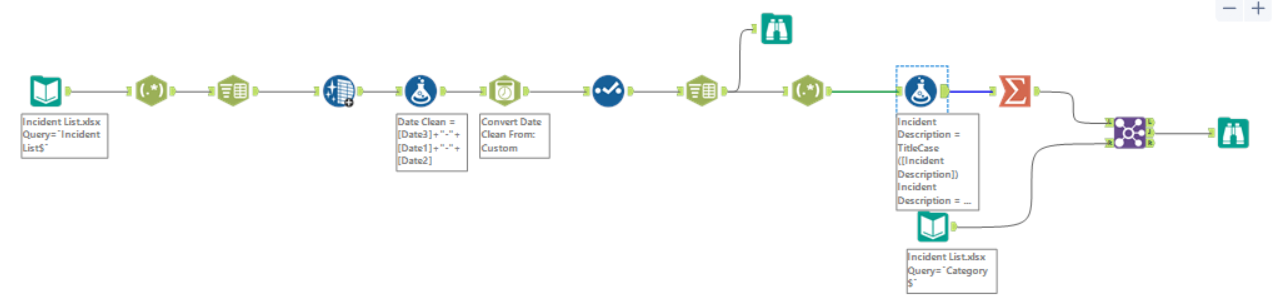
The following workflow was my approach to this challenge, which I will breakdown into smaller steps in this blog:
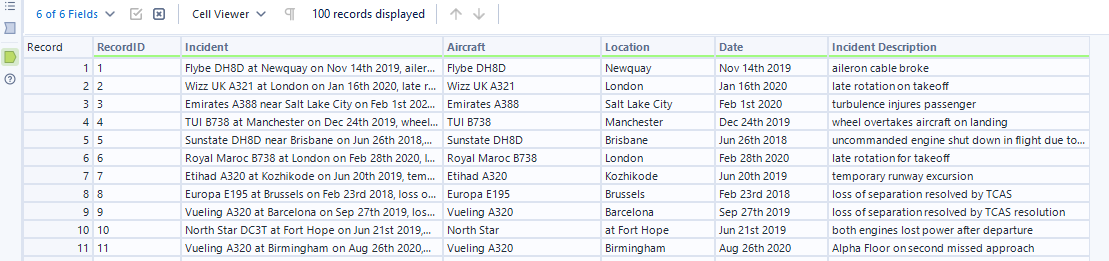
Step 1: Using the RegEx tool I parsed out specific strings of words or characters that make up the target fields. In the configuration panel, I've selected the Incident field as the column to parse with the following regular expression.
(.?\s\w{3,4})\s.?\s(\D.?)\s\on\s(\w.?),\s(\w.*)
Tip: make sure your target characters are captured inside the (). Give names to your new columns!
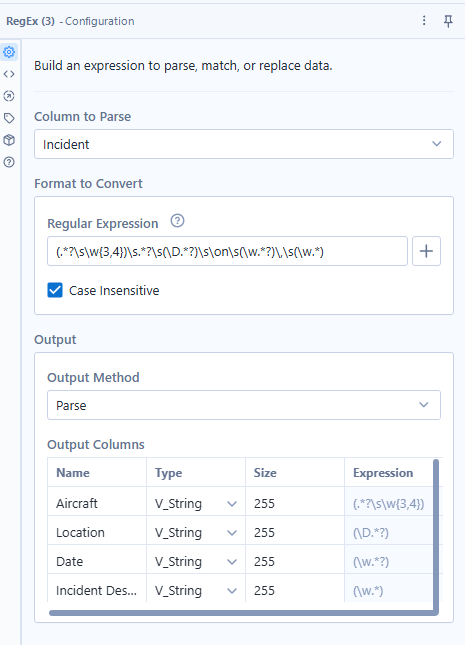
This gives us the 4 fields that we were looking for as pictured in the output anchor below:
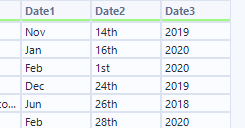
Step 2: Using the Text to Column tool I then parsed the Date field so that I can easily clean the suffix ("-st","-th") from the Date2 value before rejoining together.
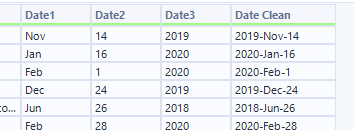
Step 3: Using the Data Cleansing tool I removed all letters from the Date2 field so only the numerical value is kept.
Step 4: Using the Formula tool I then reconstructed the Date field using the below formula.
[Date3]+"-"+[Date1]+"-"+[Date2]
Step 5: To convert the Date which is currently a string field into a Date type field I've used the DateTime tool. If you try to do this through simply changing the data type of the field, it will break the data! The configuration needs to be set to Custom string format yyyy-MMM-dd, and the output would be in the standard date format of Alteryx.
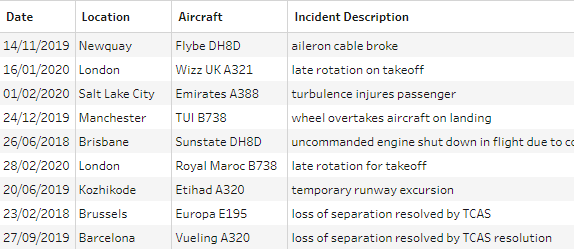
Step 6: By removing redundant fields from the data, I've completed the first half of the challenge which outputs the following table.
Step 7: Continuing from the same flow, I used the Text to Columns tool to parse the Incident Description field into single words. In the configuration panel, I've set the delimiter to " " and Split to Rows instead of columns - this is because I don't know how many columns this will produce, so to be on the safe side I've chosen to split to rows. Note how the output is a column with all the words from each incident description.
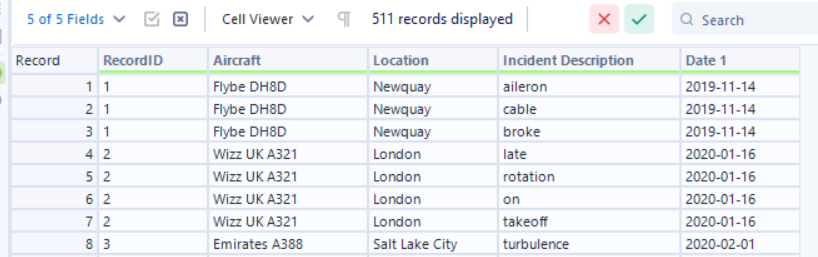
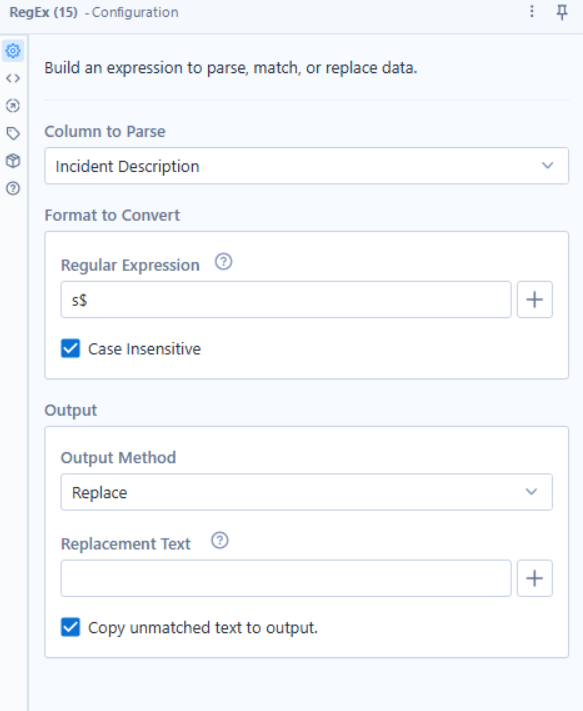
Step 8: In one of the next steps we'll want to join a lookup table in which some of the words from Incident Description exist. However, some words exist both in singular and plural forms so this field needs a bit of cleaning before we join the two tables together. For instance, both "attendant" and "attendants" exist but also "pressure" and "pressurize". To clean these I decided to use the two following tools, RegEx and Formula.
The configuration for RegEx is as below. The goal is to replace the "s" in "attendants" with nothing so it is converted to the singular word (Disclaimer: this may not be the case for every scenario, but for this challenge there's no words in the lookup table that end in "s" so we are not malforming any values).
The formula used in the Formula tool to replace "pressurize" with "pressure" is as below:
Replace([Incident Description],"Pressurize", "Pressure")
I also title cased the words so that they match the joining field values from the lookup table.
TitleCase([Incident Description])
Step 9: Now that the values match the lookup table, I used the Summarize tool to aggregate the total number of records that mention each distinct word from the Incident Description field.
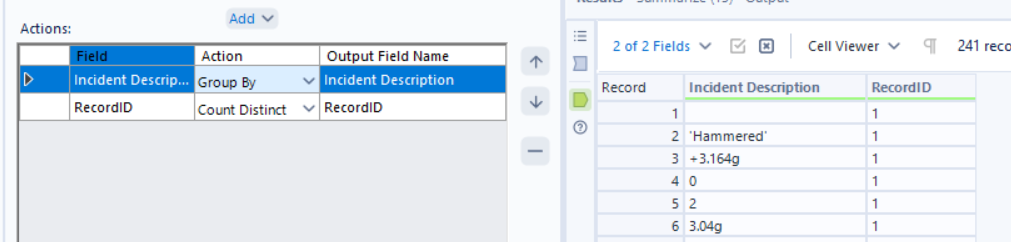
Step 10: I then renamed the total record ID field to Number of Incidents. The output from the Summarize tool was then joined to the lookup table using the Join tool on Incident Description = Category. In the Join tool configuration I also removed redundant fields that are no longer needed in the output.
The end result is the below table which categorizes each incident based on word similarity!
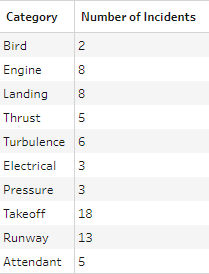
Overall, this was a fun challenge that allowed me to use various Alteryx tools and observe how they interact with each other, instead of using purely RegEx. While you could solve this only with RegEx, doesn't mean you should as there are multiple ways to get to the end output!