Week 6 of training for DSNY14 consisted mostly of an introduction to SQL in Snowflake. For this Preppin' Data challenge, my main goal was to practice using CTEs to break my SQL query into smaller, more manageable steps.
A CTE (Common Table Expression) is a named result set that can be referenced within a SQL statement. CTEs help organize complex queries, making them easier to read, understand, and build upon.
This challenge gave me an opportunity to practice two concepts: changing the granularity of data through aggregations and creating new fields using calculations.
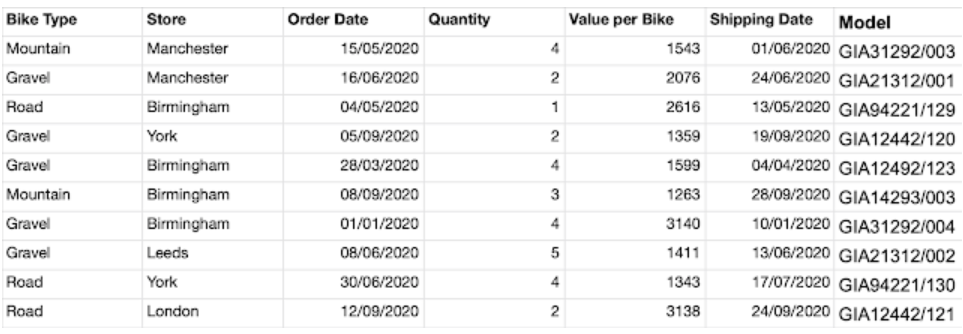
Input Data
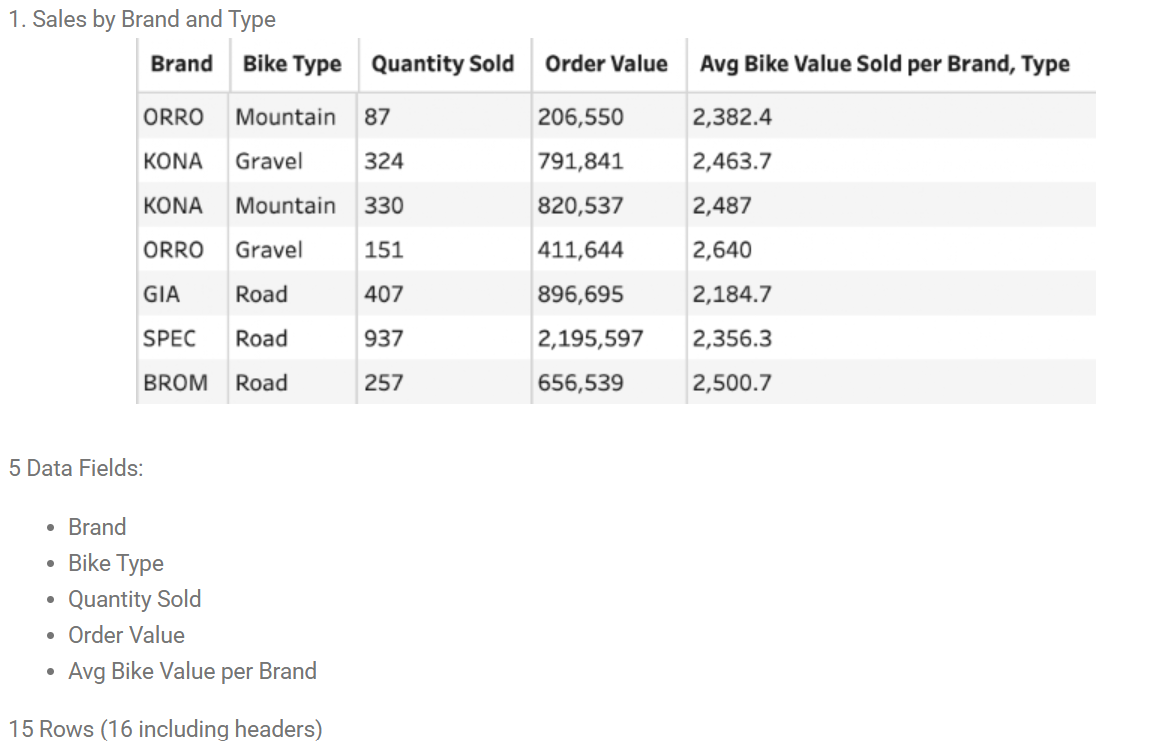
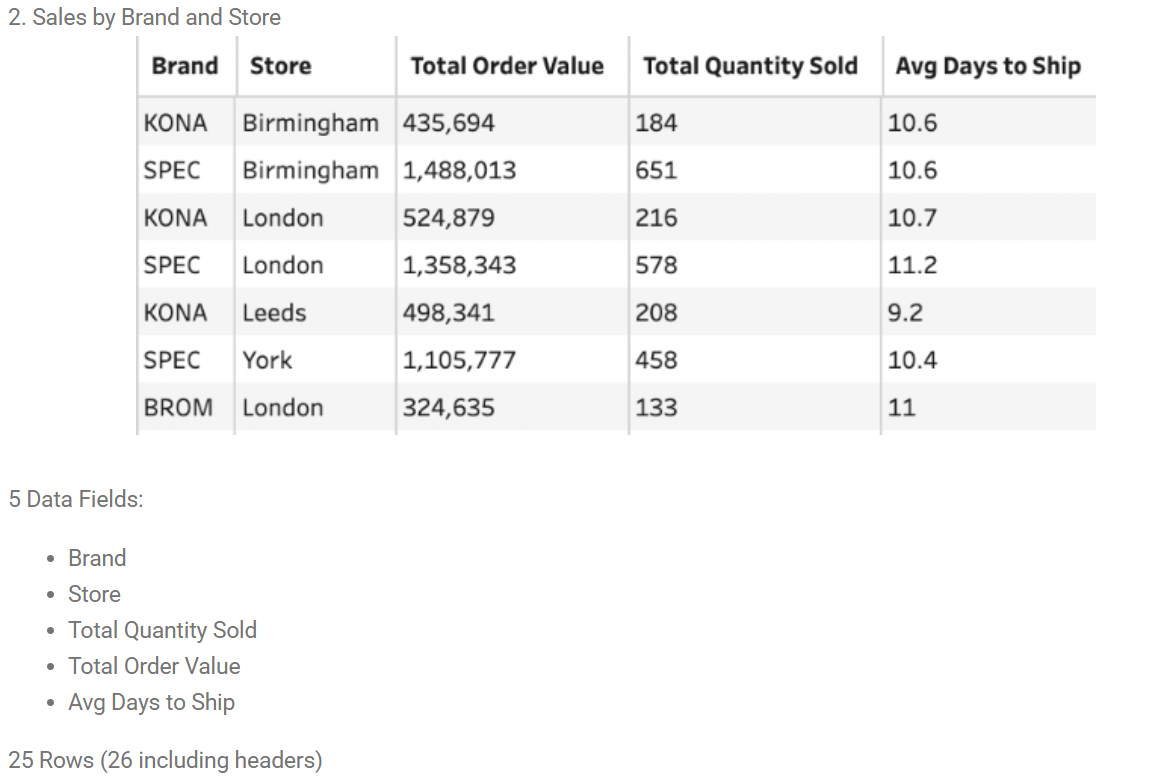
Desired Outputs
*Small Personal Tangent - One thing this challenge reminded me of was how much I benefit from writing things down by hand.
No matter how much I've tried to get into the habit of typing my notes, nothing beats physically writing things out, crossing out ideas that didn't work, and brain-dumping my thoughts onto paper.
Before writing any SQL, I mapped out the steps I thought I'd need to take. After going through them again, I realized that using three CTEs would help me organize my query.
Here's how I approached the challenge.
Step 1: Attempt to clean the Model field by using SPLIT_PART(). But there wasn't a consistent delimiter separated the brand letters from the model numbers. With a quick Google search, I found I could use REGEX_REPLACE(). This finds text matching a pattern and replacing it.

In the Model field, find which characters are not (^) uppercase and lowercase letters, and replace those values with nothing (''). Then, create a new column and call it Brand.
This became my first CTE.
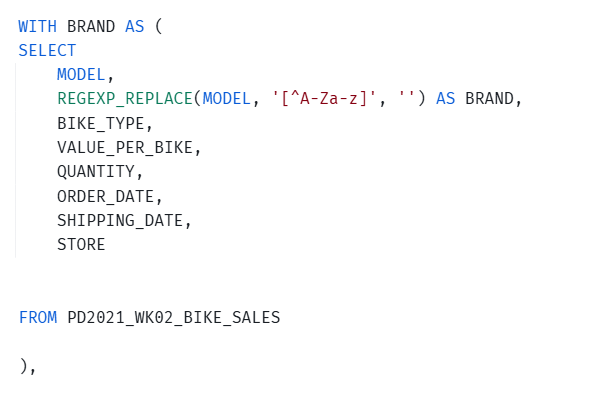
I also included the original columns I would need later, since the other CTEs would be referencing this cleaned dataset rather than the original table.
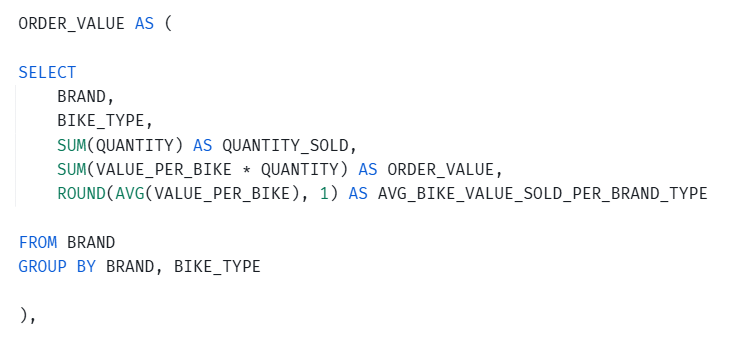
Step 2: Now, I needed my ORDER_VALUE CTE. I needed to calculate ORDER_VALUE using Value per Bike and Quantity to create three new fields: QUANTITY_SOLD, ORDER_VALUE, and AVG_BIKE_VALUE_SOLD_PER_BRAND_TYPE.
- I started by selecting BRAND and BIKE_TYPE, the two columns I would use in my GROUP BY statement.
- This adds up all the values in the Quantity field and creates a new field called QUANTITY_SOLD.

c. This calculates the total sales value by multiplying the price of each bike by the quantity ordered, then adding those results together, which is my Order_Value field.

d. This line calculates the average bike price, and rounds the result to one decimal place, and assigns it AVG_BIKE_VALUE_SOLD_PER_BRAND_TYPE as the field name.

That completed my second CTE.
Step 3: Lastly, I created my third CTE, DAYS_TO_SHIP.
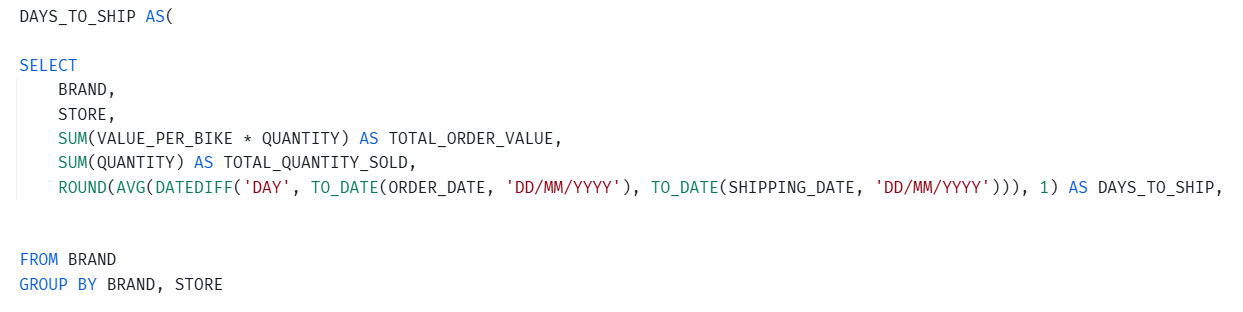
a. I selected BRAND and STORE as my grouping columns.
b. Here, I reused the calculations from the previous CTE and renamed them as TOTAL_ORDER_VALUE and TOTAL_QUANTITY_SOLD as my new fields.

In SQL's logical execution order, GROUP BY first organizes rows into groups based on the specified columns. Aggregate functions in the SELECT statement then perform calculations on the values within each group. As a result, reusing the same aggregate expressions can produce different results depending on how the data is grouped.
c. I also needed to create DAYS_TO_SHIP.

This line calculates the average number of days between when an order was placed and when it was shipped, rounds the result to one decimal place and creates the new field, DAYS_TO_SHIP. The original date field had a string data type and so I had to convert it to a date using TO_DATE().
That completed my third CTE.
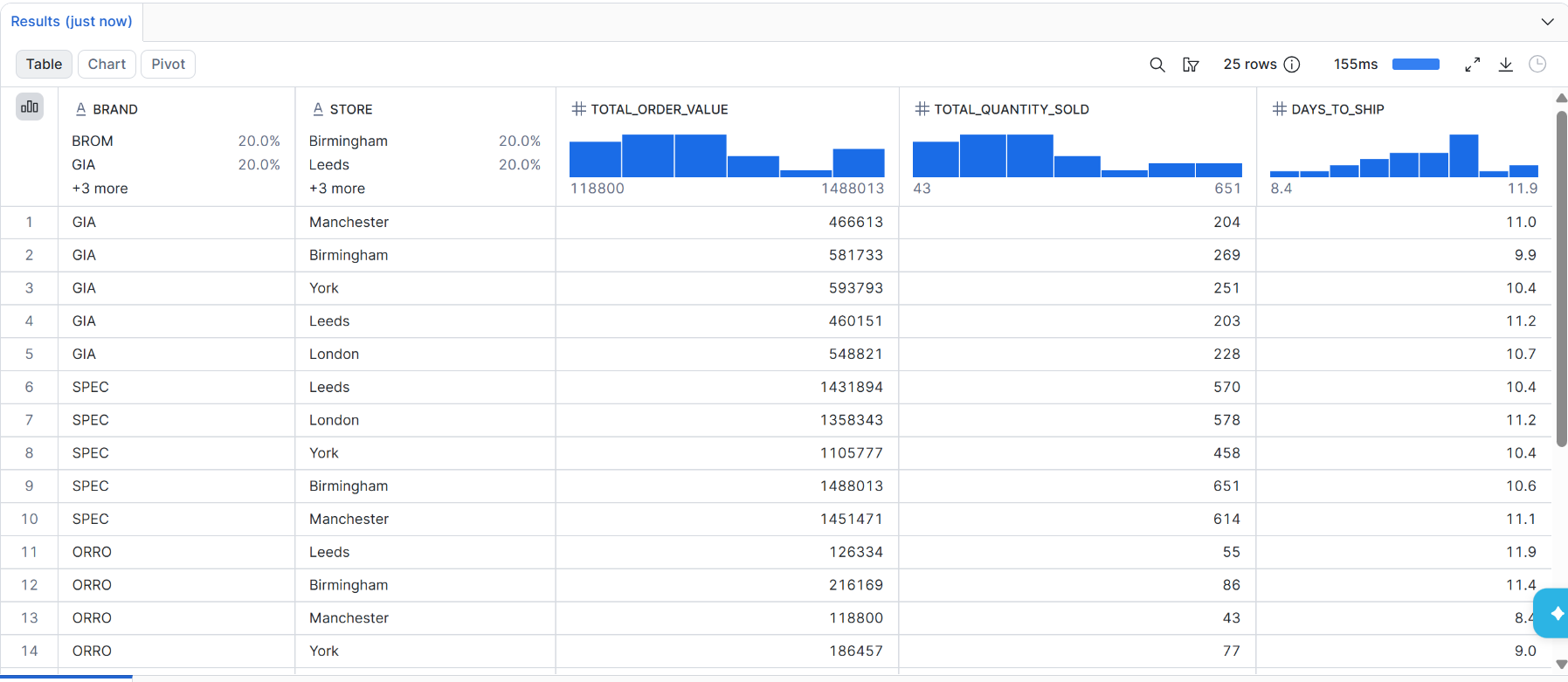
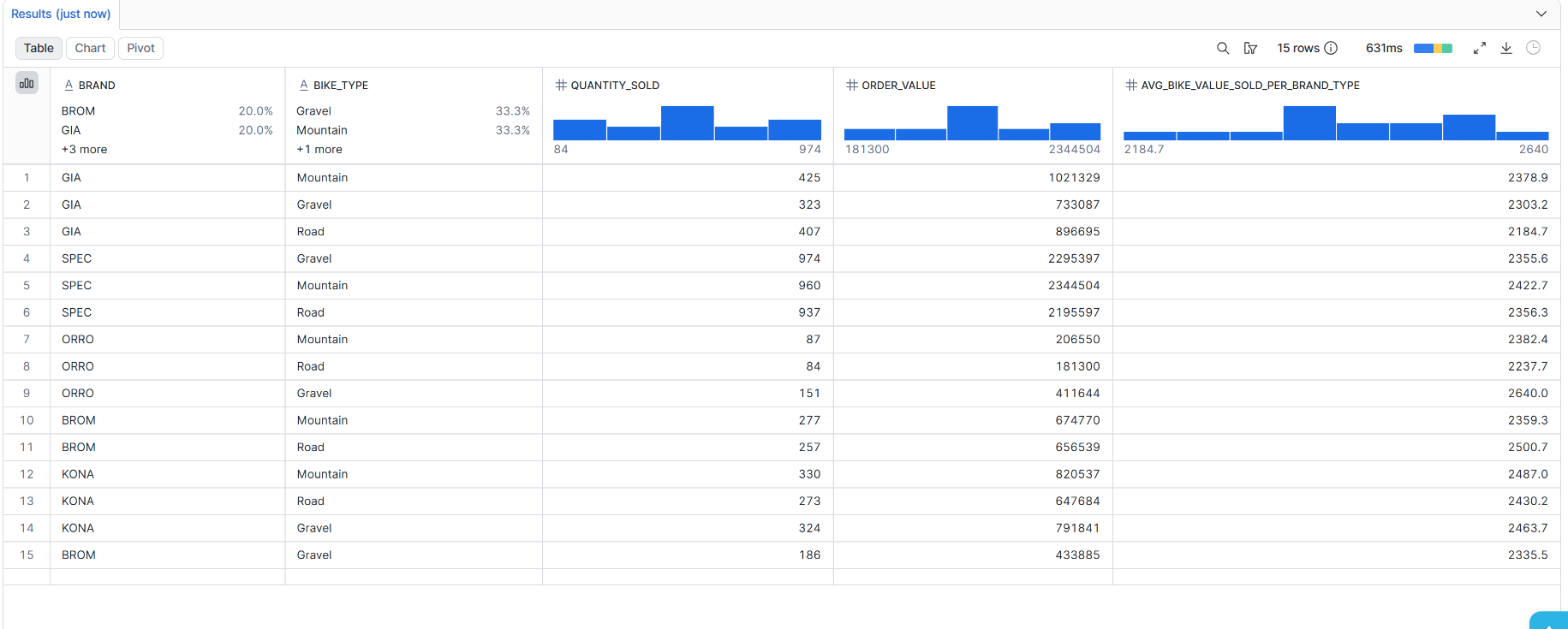
Finally, here were my outputs.
- Sales by Brand, and Type
- To produce this table, I added SELECT * FROM ORDER_VALUE after my second CTE. This retrieves all columns from the CTE, displaying the aggregated sales data by Brand and Bike Type.
- Sales by Brand, and Store
- To produce this table, I added SELECT * FROM DAYS_TO_SHIP at the end of my query. This retrieves all columns from my third CTE, displaying the aggregated sales and shipping data by Brand and Store.