


This week, nearly 1 year after I started at The Data School, I was fortunate enough to join DES7 - our seventh data engineering cohort. This programme delves into the backend systems that feed modern analytics, where we will learn how to extract, transform & load data through a menagerie of different tools and environments. Before we get to any of that though, we need to start with a solid understanding of the basics, and on our first day we started with Git.
What is Git?
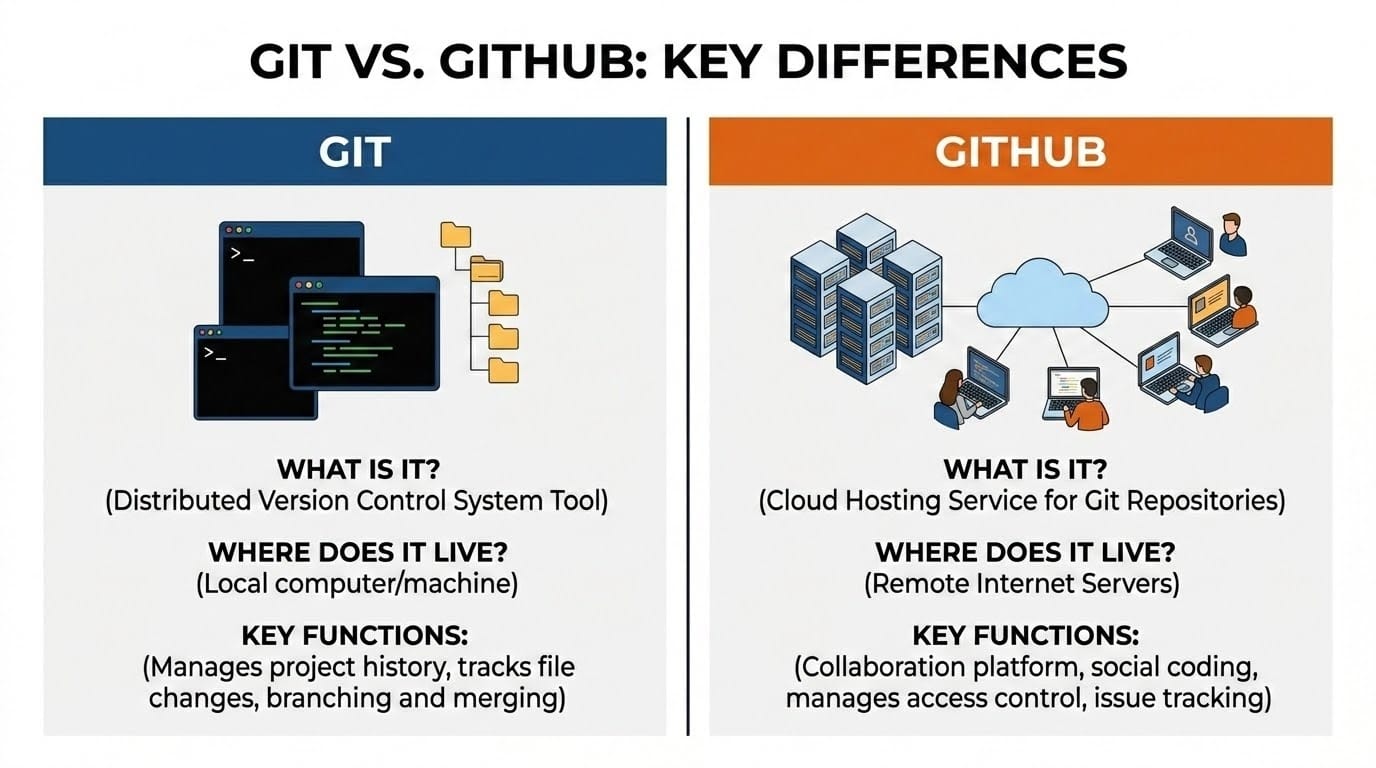
Git is an open source distributed version control system, originally created by Linus Torvalds for the development of the Linux kernel. Version control is a software engineering fundamental, creating a record of all changes to a computer file (typically a codebase or script).
A distributed version control system, like Git, is a decentralised model that stores the full codebase (and the full history of changes) on each developer's computer. This allows simultaneous development of software without requiring connection to a centralised server.
Why use Git?
Git is a fantastic tool for data engineering. When orchestrating pipelines that are streaming data continuously, even minor outages can have major consequences. Git allows developers to build and test ETL features in their own sandboxed environments before pushing them back to the main branch. If things do go wrong, it's simple to roll back to an older, stable version
Git vs GitHub?
Okay, so we can see the value of Git, but how does GitHub fit into this picture? GitHub is a cloud-based hosting service for Git repositories (repo), allowing users to upload, store, and share their local changes.
Fundamentally, GitHub enables collaborative version control through code review, which takes the form of a pull request. This is a formal request to merge your changes into the main codebase. Before your new data script or ETL pipeline goes live, team members can review your code, leave feedback, and test for bugs. Once approved, the changes are safely integrated, ensuring the main repository always remains stable and production-ready.
Think of Git as a photographer’s camera, which holds all of your recently taken photos locally on its memory card. GitHub acts as the online gallery. The photographer can upload their local photos to the shared website, but only at the discretion of the other photographers who curate and collate the gallery.
How do you use Git?
Git is composed of three "Trees". The Working Directory, which is the area in which you write your code and create changes. The Staging Area (or Index), is where your changes are prepared and held until they are confirmed. And the Local Repository, where Git creates a record of all changes to the project.
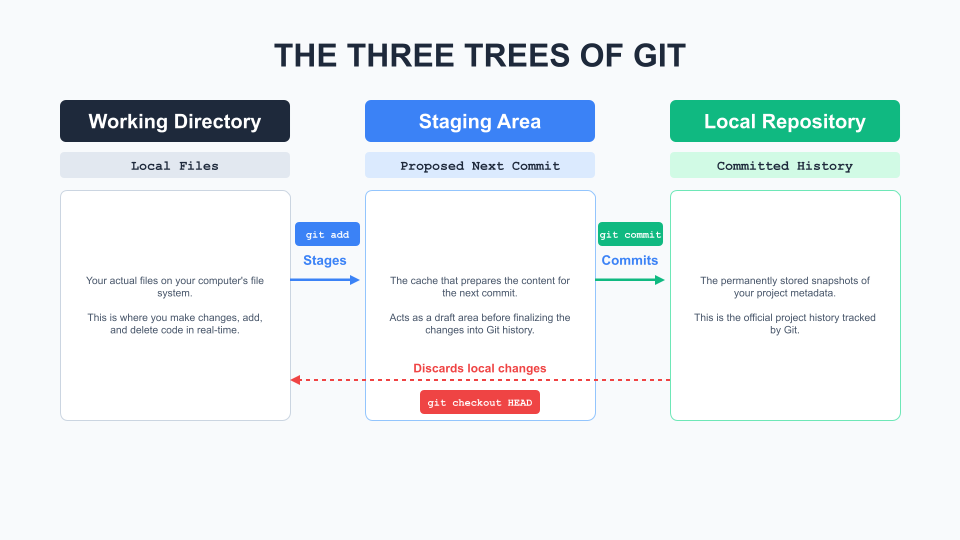
When working with Git initialised in your repo, changes that you make in your Working Directory are only recognised when you tell git to add them. These don't immediately get committed to history however, first they are "staged" and can be reviewed before the commit command is used to finalise changes and add them to the history.
This local repository can then be "pushed" to GitHub, where it exists as a remote storage of your code and a full history of all its changes.
I hope this helps you understand Git and GitHub! If you want to try setting-up a Git repo yourself, follow along with my next blog.