


Macros
Macros in Alteryx are useful for automating repetitive ETL tasks by turning parts of your workflow into modular, reusable components.
Batch macros are specifically useful in carrying out an action repeatedly over some data, but adjusting its process to be tailored to the data depending on what group or 'batch' it belongs to.
Lets take a look at the anatomy of a batch macro:
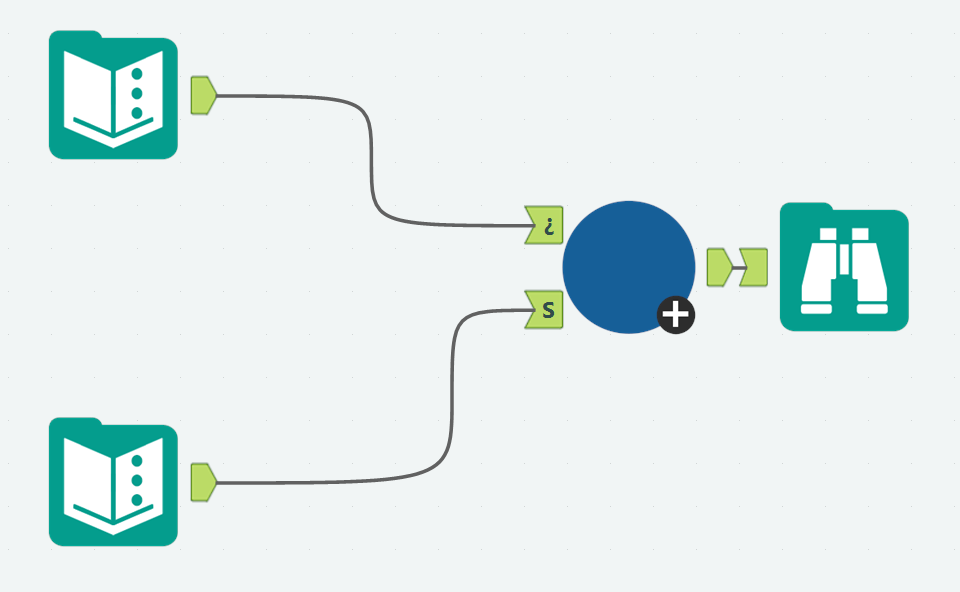
This batch macro has two inputs and one output. The anchor labeled '¿' is the Control Parameter. Its the key component that makes it a batch macro. This is how you batch your data! Each row identifies one 'batch'. The anchor labeled 'S' is the source anchor.
Under the hood, this is how our macro is set up.
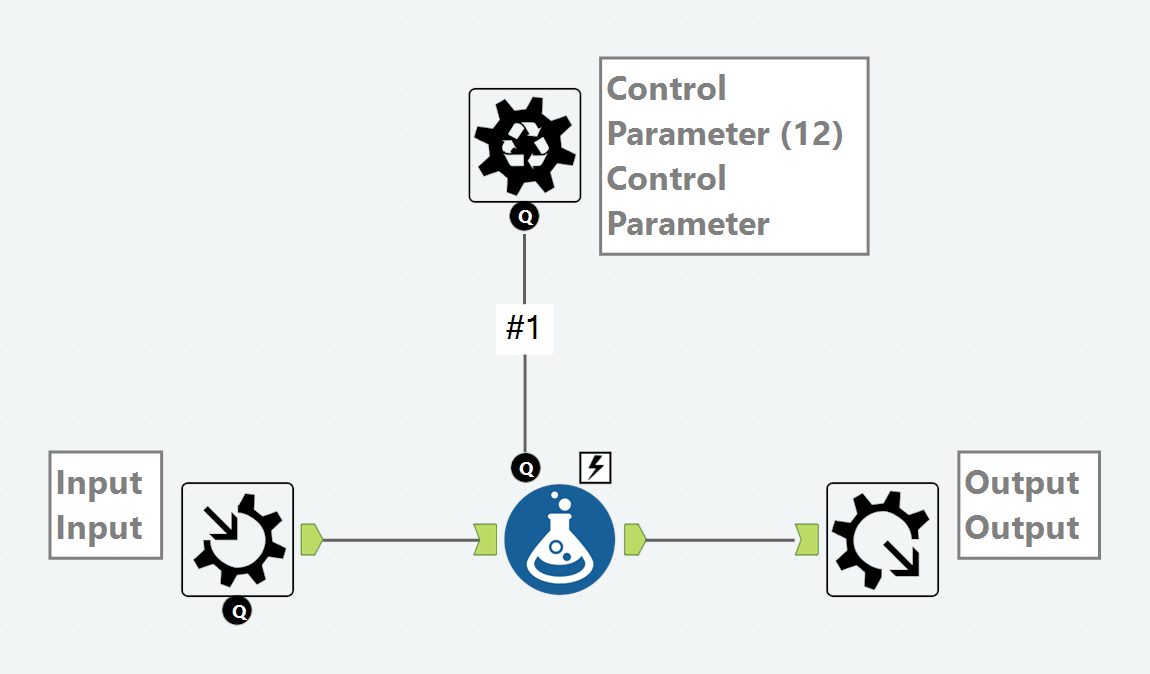
The table connected to the Control Parameter anchor can be used in a formula to specify an adjustment specific to a particular batch. The table connected to the source anchor are the rows that are about to be transformed. The macro will take the rows from the source table and group them out into 'batches' based on the control parameter data.
When configuring your batch macro, you will have to set up two menus:
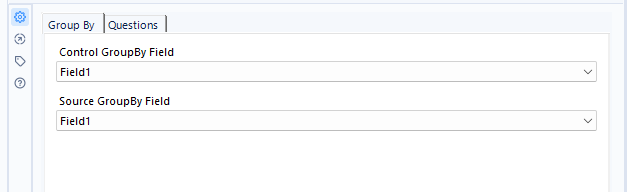
In the GroupBy configuration menu, you select the column from the Source table that categorizes the rows in some way. For each row in the Control Parameter table, it will grab all rows the match that row's value, and perform a tailored operation on those rows only.

In the Questions configuration menu, you select the column from the Control Parameter table which hold the value that changes depending on the batch. This column is used inside the macro's flow as the source of an operation's customization.
The resulting output is a data table with your original source rows altered in batches and then unioned together again for the final product.
What can we use a batch macro for?
A repetitive process that changes slightly based on a condition.
For example: calculating % tax for customers orders based on what state they are from.
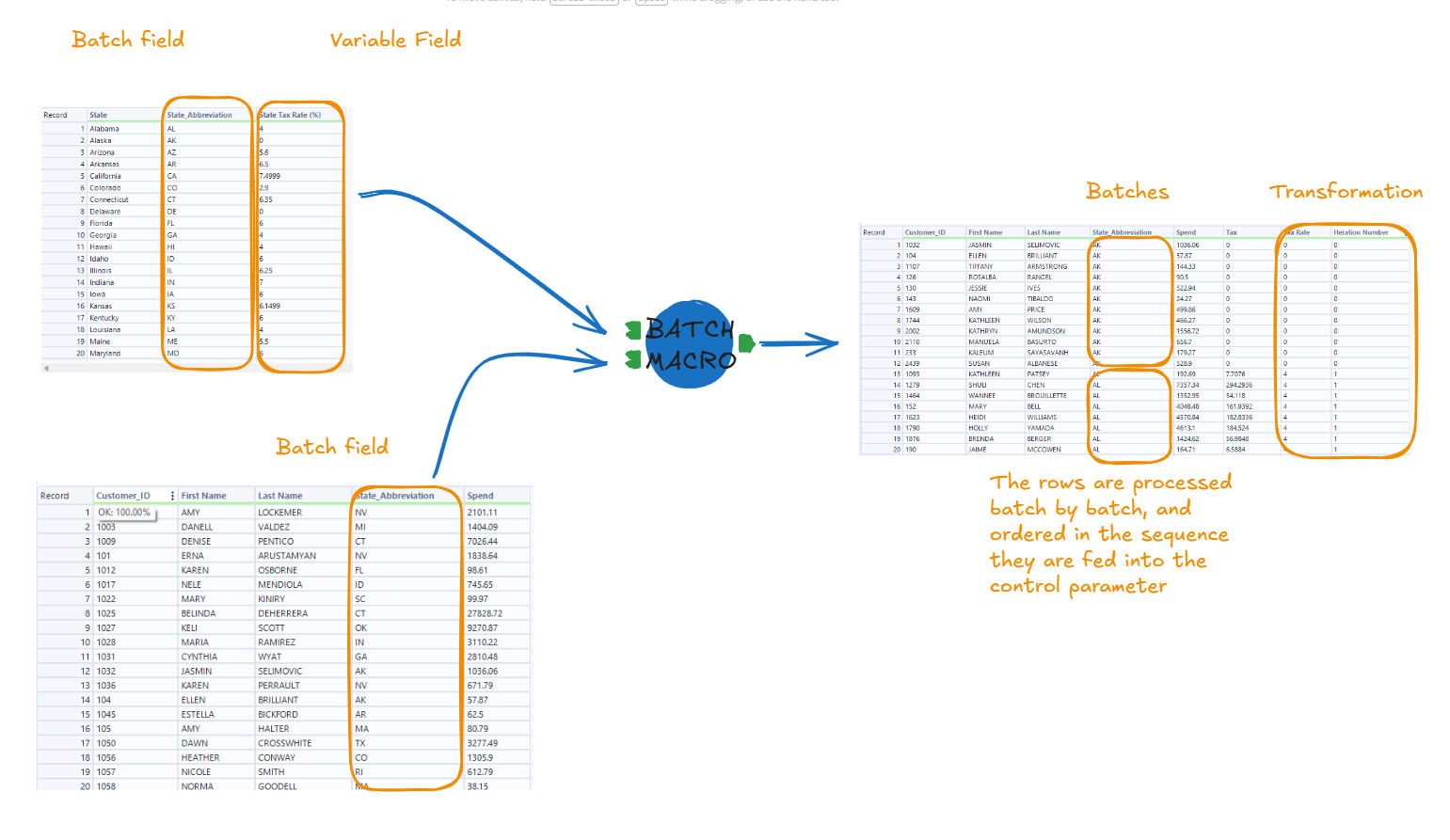
The part that gets repeated: spendings * (x/100)
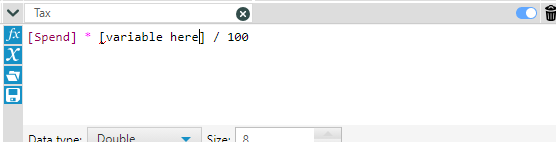
The variable from the 'questions' field is what gets used in the formula to calculate a particular batch's tax rate.