


You may know it by another name: the pivot. In Alteryx, you want to use the crosstab tool when you want to reshape your table so that a subset of the data points from your rows can be separated into a new column.
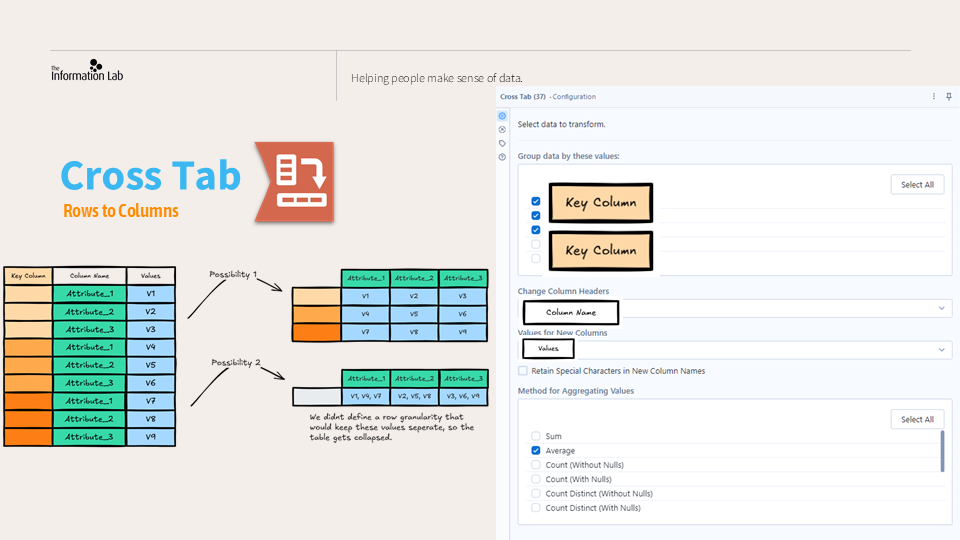
Lets look at the setup for the cross tab.
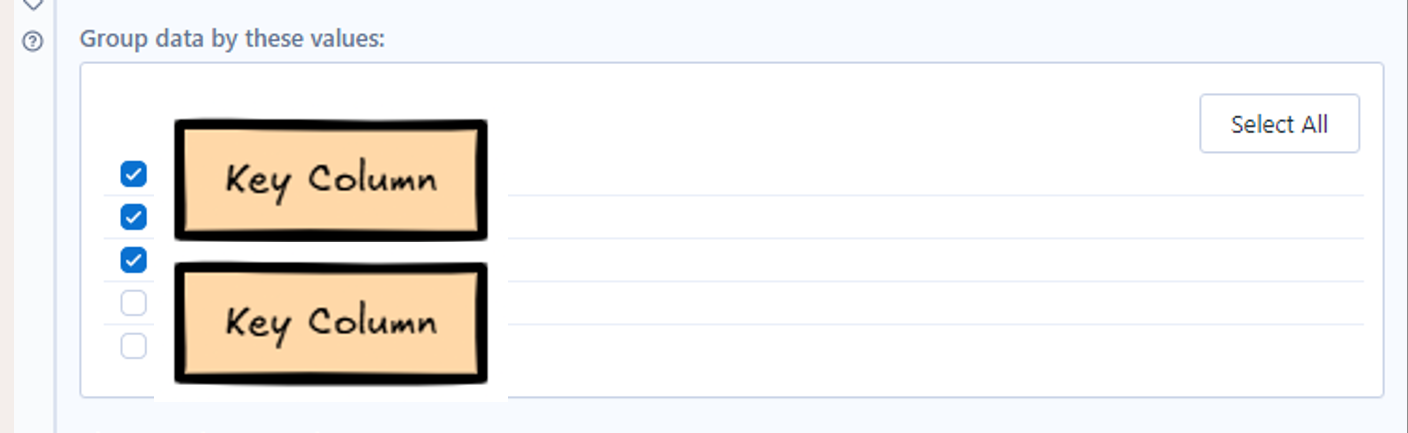
Group by
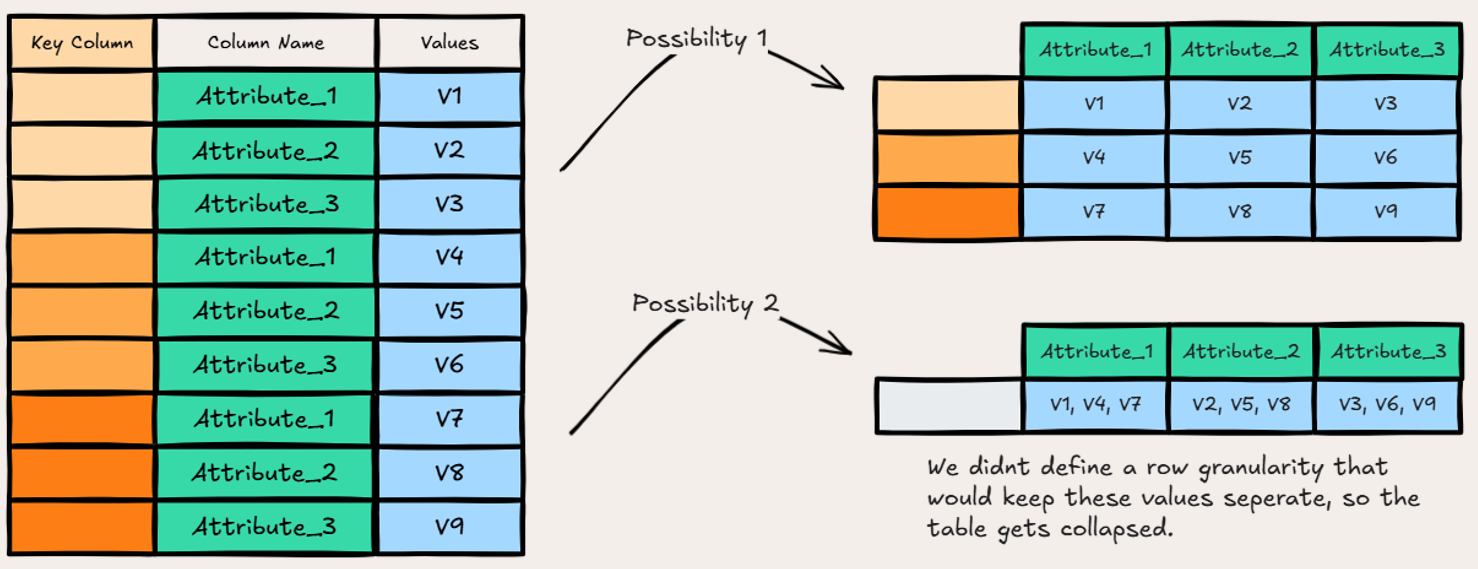
We can select a field here to group by. It tells Alteryx which rows should stay apart when dumping the data points into the newly created column.
Change to header
One of the columns you are transforming should contain some dimension names which will turn into the headers of your new columns.

Change to values
One of the columns that you are transforming will contain values that will be reorganized based on what dimension name and group by column its associated with.

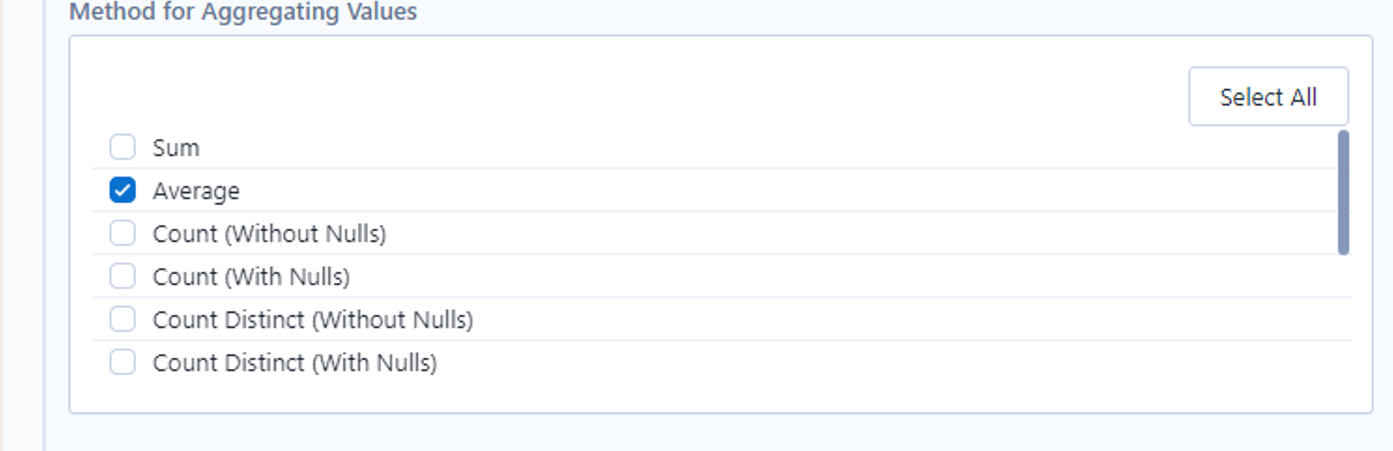
Method of aggregation
There are cases in reshaping your table where multiple data points get sorted into the same cell. In this situation, Alteryx asks for a way to combine these values. The tool will not run until this option is configured. Even if you anticipate not having this occur.
When would we use cross tab?
Here is an example of a time you would want to use cross tab.
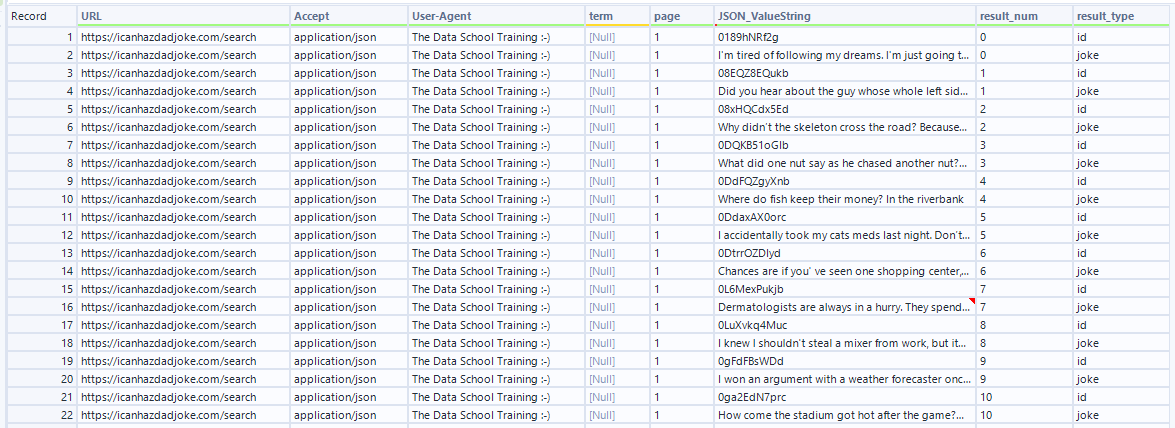
This table contains data pulled from a joke api.
The data received from the api was originally in json form and parsed out into rows, with each row containing a joke number, a string value and the key it was paired with that tells you what the string value is. Some of the rows are jokes, other rows are joke ids.
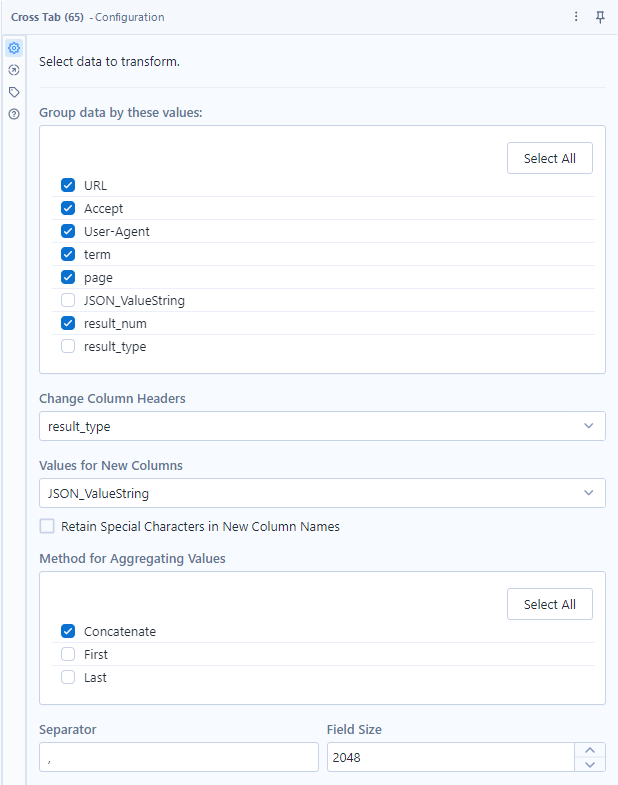
Using cross tab here helps us take the different row types (id row or joke row) and turn them into columns to associate relevant values to the same row. We take each distinct result_type and make it a column of its own, and fill in the values for the column from our JSON_ValueString. We make sure to group by the result number and page so that, for example, all relevant rows from page 1 result 1 gets placed together, and page 2 result 1 rows get placed together.
The Result:
