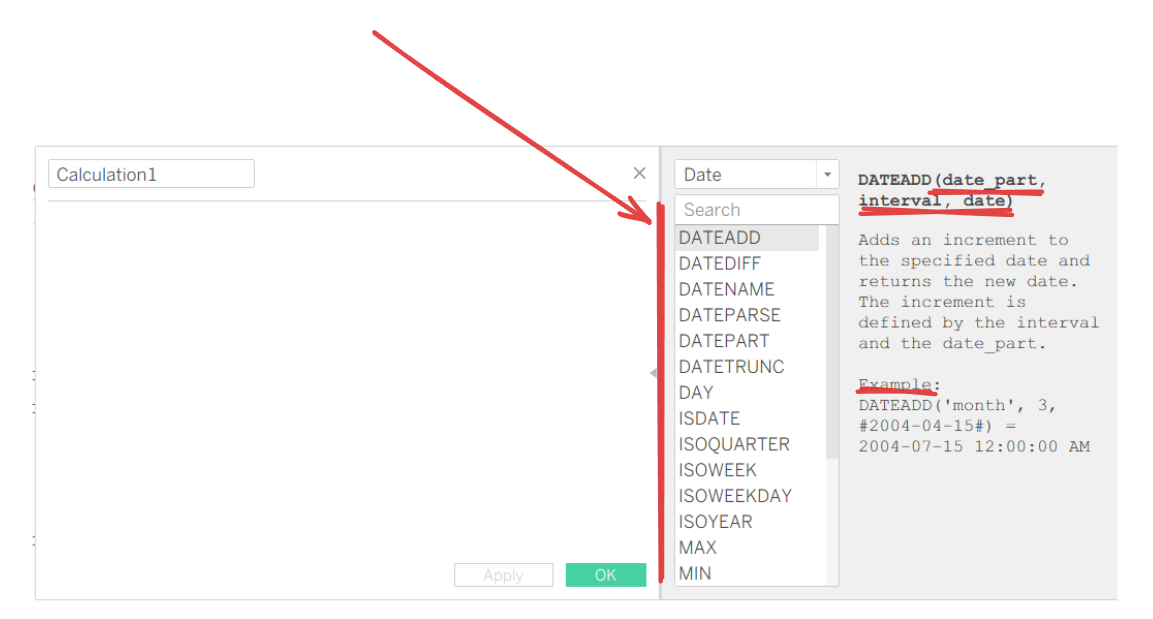
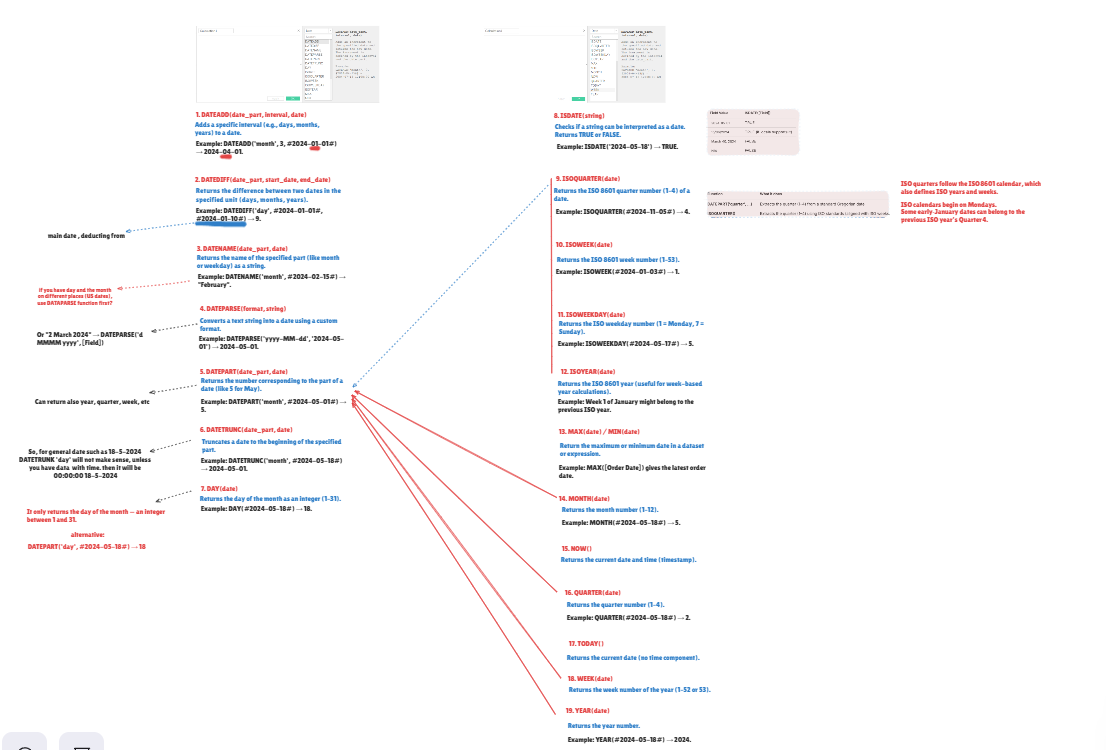
Year‑end weeks can derail even the best dashboards. The cure is simple: choose a calendar system (Gregorian or ISO) and use only the matching Tableau date functions shown in the reference image (also see my sketch for all date functions!).
ISO Calendar Toolkit (ISO 8601) Use when your reporting is week-based, runs Monday–Sunday, and must handle year crossover cleanly. Think retail ops, manufacturing, international teams.
- ISOWEEK(date) What you get: Week number 1–53. Why ISO: Week 1 is the week containing January 4. No partial weeks.
- ISOYEAR(date) What you get: The ISO year that the date belongs to. Why it matters: Early January can belong to the previous ISO year (great for consistent Year‑Week keys).
- ISOQUARTER(date) What you get: Quarter 1–4 aligned to ISO weeks. Why it matters: Some early‑January days may still be in ISO Q4 of the prior ISO year.
- ISOWEEKDAY(date) What you get: Weekday number with Monday=1 … Sunday=7. Why it matters: Aligns perfectly with ISO weeks (no Sunday‑start).
Pro tip: Always pair ISOWEEK with ISOYEAR. A reliable key looks like: STR(ISOYEAR([Date])) + '-W' + LPAD(STR(ISOWEEK([Date])),2,'0') - we didn't cover this yet during our training, but it makes sense!
Gregorian (Standard Calendar) Toolkit Use when you report by standard calendar months/quarters and don’t need ISO’s week rules. This is the default for most financial statements and executive summaries.
Core builders
- DATEPARSE(format, text) Turn text('string') into a proper Date. Example: DATEPARSE('yyyy-MM-dd', '2024-05-01') → 2024-05-01.
- ISDATE(text) Safety check before parsing. Checks if a string can be interpreted as a date. Returns TRUE or FALSE. Example: ISDATE('2024-05-18') → TRUE.
Read parts and labels
- DATEPART(part, date): Numbers like year, quarter, month, week, day.
- DATENAME(part, date): Names like “February”, “Tuesday”.
Move and align
- DATEADD(part, n, date): Shift dates (rolling windows, offsets).
- DATEDIFF(part, start, end): Measure gaps (tenure, days since order).
- DATETRUNC(part, date): Snap to period starts (month/quarter/year/day).
Shortcuts for readability
- DAY(date) • MONTH(date) • QUARTER(date) • YEAR(date) • WEEK(date) Fast versions of DATEPART. Note: WEEK follows locale/calendar rules (week 1 is always in the same calendar year; start day may be Sunday or Monday).
“Right now”
- TODAY(): Current date.
- NOW(): Current timestamp.
Aggregates
- MIN(date) • MAX(date): First and latest dates in scope.
When Results Differ (and Why)
- Week numbers at New Year
- WEEK or DATEPART('week', …): Resets with the calendar year; depends on locale week start.
- ISOWEEK: Monday‑first; week 1 contains Jan 4. Early January can be “last year’s” week.
- Year fields for weekly reporting
- Calendar weeks: pair WEEK with YEAR.
- ISO weeks: pair ISOWEEK with ISOYEAR. Mixing YEAR with ISOWEEK (or ISOYEAR with WEEK) creates mismatched “year‑week” labels.
A Simple Rule of Thumb
- Reporting by months/quarters? Use the Gregorian set.
- Reporting by weeks across year boundaries? Use the ISO set, always pair ISOWEEK with ISOYEAR, and sleep better on January 1.