


The first week at a new job is going to have its challenges no matter what. Even more so if it's your first 9-5 job in the big city! There's a lot to get caught up with, and a lot that you're going to be doing.
At least, that was my experience when I started at the Data School. Thankfully, we do get to have a calendar to make the challenge ever so easier. But getting used to a new calendar, with all of its formatting and details that are thrown at me, is a different challenge that needs to be conquered.
On my first few days at the Data School, what room I was going to be in was almost a gamble since I hadn't managed to get the calendar to show up on my phone. But even once I did, with the clutter that other cohorts added with their own events and meetings, it was still a challenge to quickly see what I was doing and where I was for the day. That's when an idea began to form in my mind: an automatically filled calendar, filtered to be only the events that I need.
I had some previous experience working with Google's infrastructure and their workspace, so I knew there was already a tool that I could start with. Google's Apps Script uses their own language (.gs) which is similar enough to JavaScript for me to work with. The main power of it was all of the built in classes and functions that let me interact with Google's products, including their calendar.
So during breaks and free time, I slowly started to compile a quick set of functions that could accomplish my task. And eventually, I had a prototype up and ready.
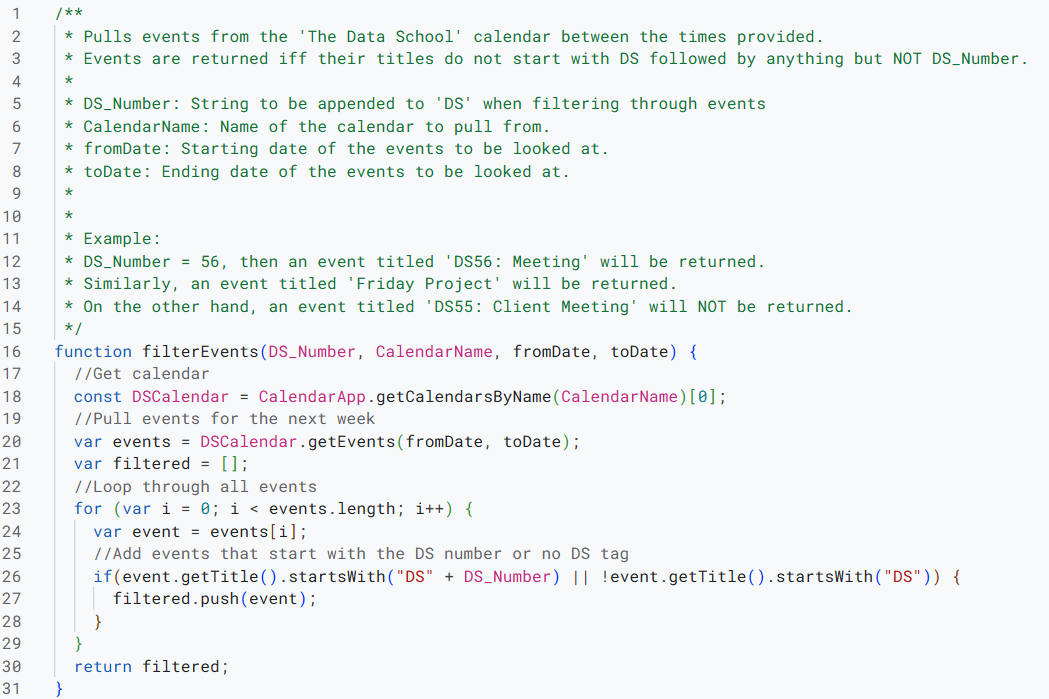
The initial run worked! Now, my cohort and I had our own specialized calendar for us to more easily see what it is that we were doing each week. It wasn't an issue to share and some of my teammates were excited about the ease that it provided. The difference in clutter definitely helps, relieving that small bit of work that I need to do each morning.
But there's plenty more to be improved upon. Even more so when I wanted to try to make sure that current and future Data School cohorts would be able to have their own specialized calendars as well.
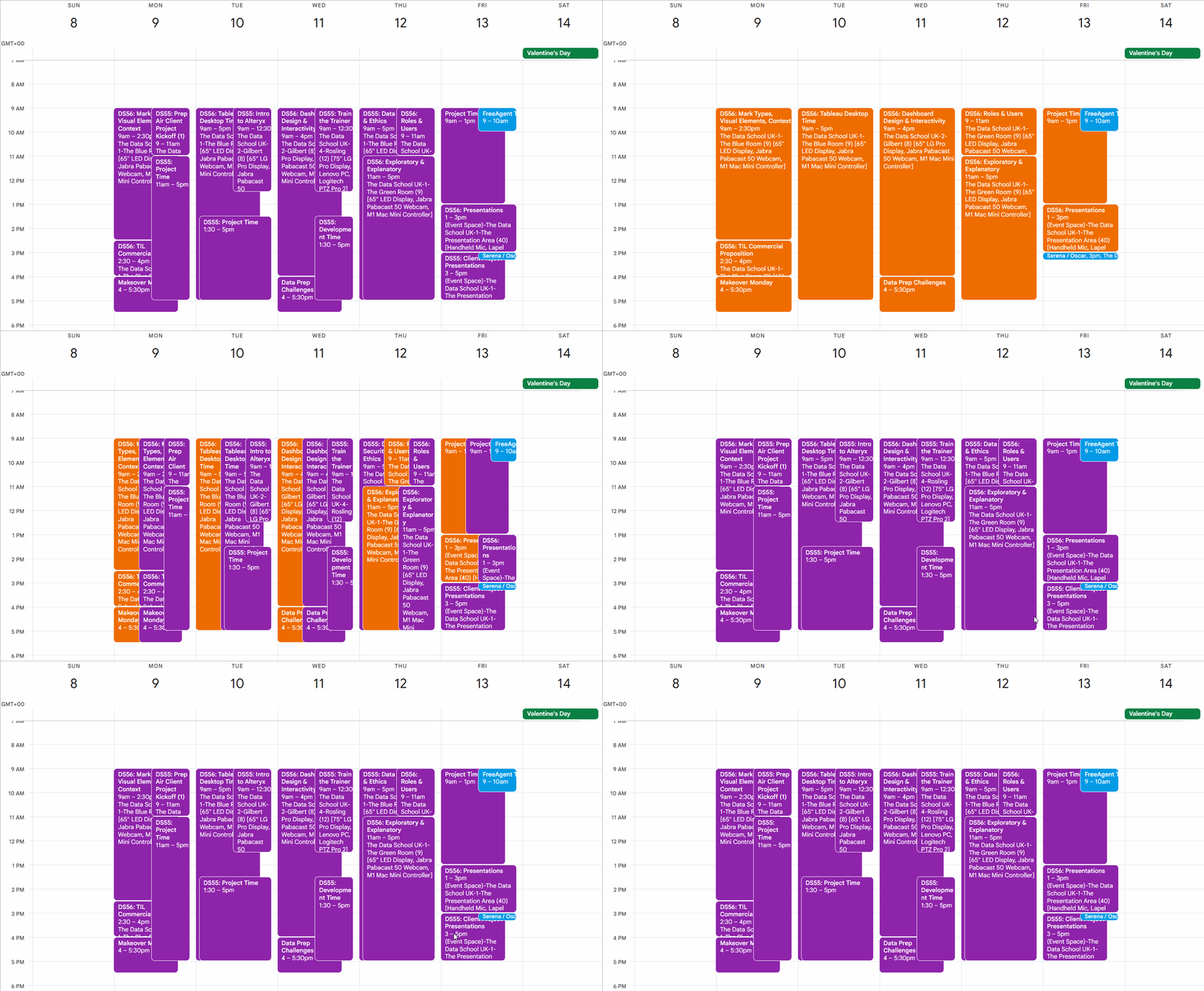
For some improvements, the obvious one is to get it to run on a daily basis in the case that details change morning of. I'm eyeing a tool like Zapier to have it run automatically, but I need to do more research into how it can interact with the App Script I've written. Similarly, making so that it only replaces events that have changed to reduce the work that it needs to do. Google Meet information doesn't transfer over. And finally, reducing the amount of values hard-coded in would be ideal, especially when I can make it work with any cohort with automatically made calendars.
It's a start to a process, just like how my first week at the Data School is the start of my time here. There's more to learn and more to improve upon, but there's already something there to be proud of.