


Combining or relating tables are done using Semantic Models in Tableau Next.
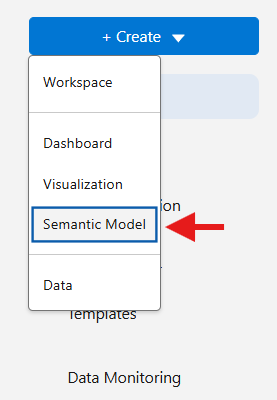
You can perform joins, unions, and define relationships within Tableau Next, but they occur in different areas of the interface, so it’s important to understand where each one is applied.
Joins & Unions:
Join and unions happen within a Logical View of the semantic model.
You can create a Logical Views on the left hand pane of your semantic view.
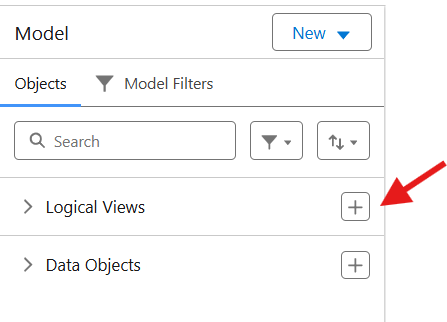
Name it intuitively based on the output of the logical view, which you can think of as a single table that you can relate to other data objects.
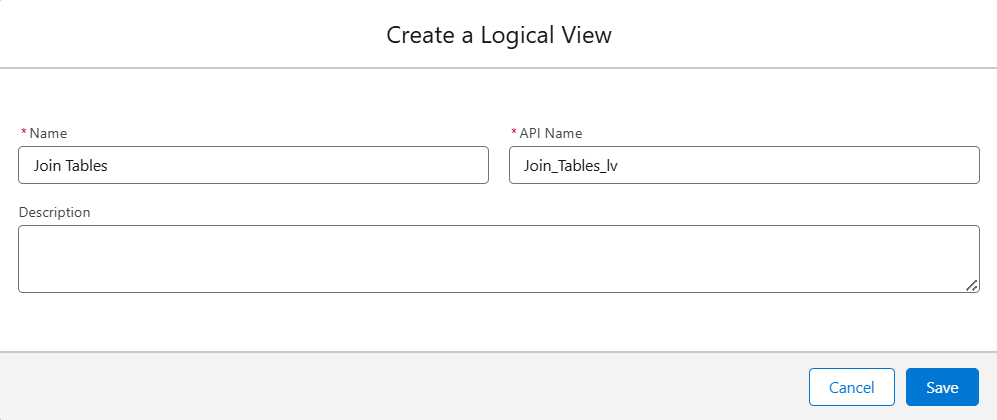
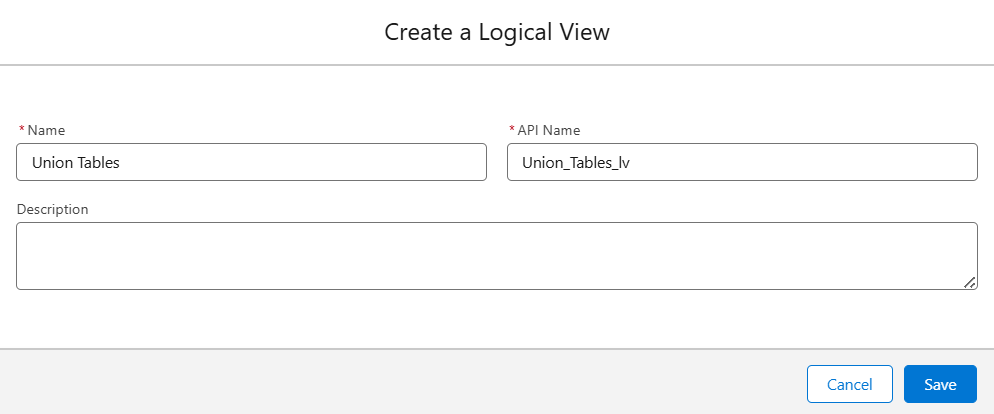
As you can see from the image above and below, you can make multiple logical views.
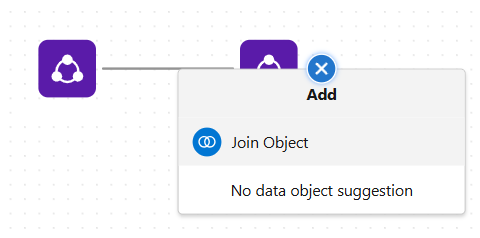
Once you create a logical view, you need to choose a data object that you want to combine with other data objects. When you hover over the data object, you will see a “+” icon, as shown in the image on the right below.
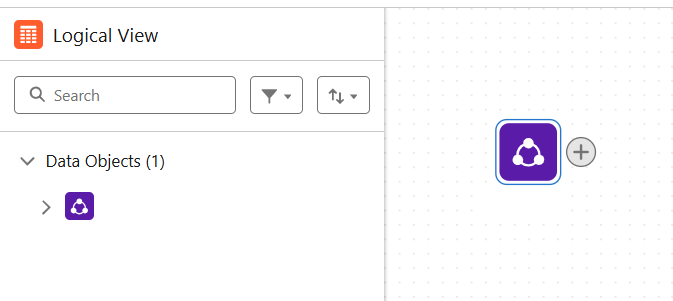
Clicking on the “+” icon will give you the option to join or union the object with other data objects!
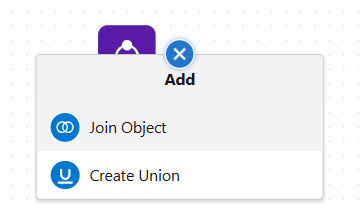
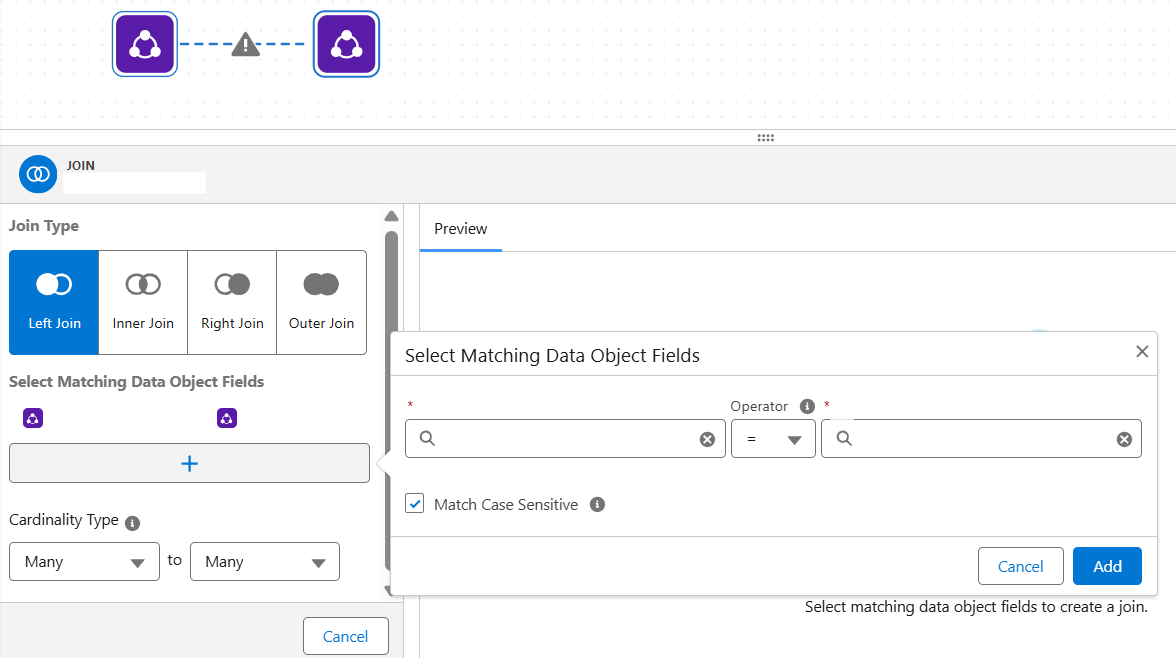
Once you select the object you want to combine the table with (in this case, a join), you will see a menu where you can choose the type of join and the cardinality type. Clicking the “+” icon under “Select Matching Data Object Fields” will open an additional menu where you can specify which fields to match and choose the operator for the matching condition.
It works similarly for unions, where the menu provides options for matching fields between the data objects.
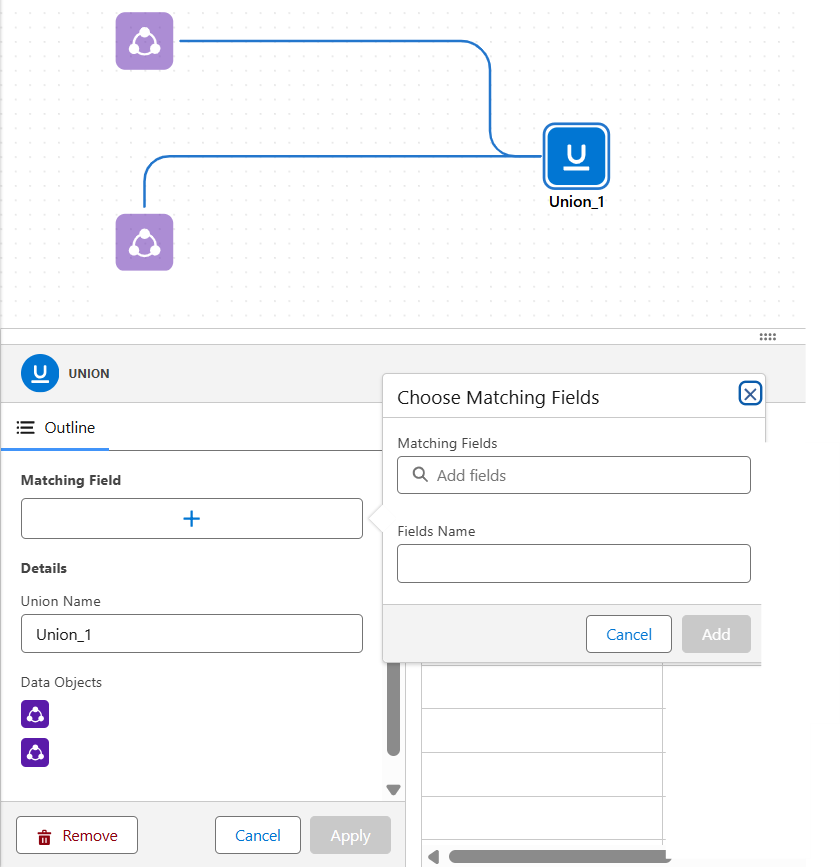
Don’t forget to click “Add” or “Apply” to keep the changes you made.
Once you create a join or a union, you can continue adding the same type of data combination method. As shown below, after joining two data objects, you can keep adding additional joins, whereas you cannot union a joined object with another object.
Similarly, once you have a unioned data object, you cannot join the combined object with another object, but you can continue to add more unions, as shown below.
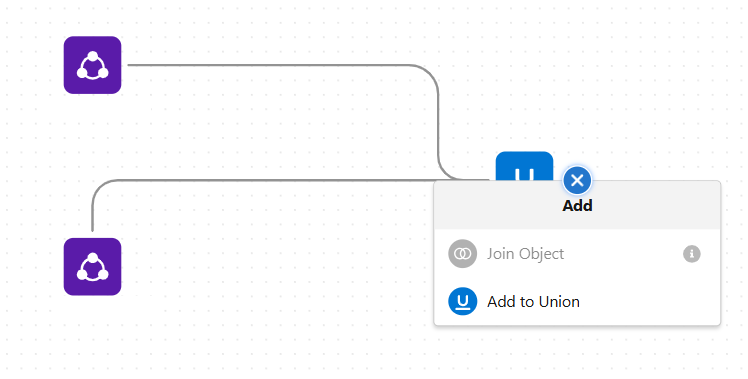
You may also notice that you cannot use outputs from logical views within other logical views, which means that, currently, you cannot join unioned objects or union joined objects. However, you can relate outputs from logical views, so you can relate a unioned object, which we will explore next.
Relationship:
Relationships are created within the semantic model, so you do not need a logical view to define them.

Within the semantic model, if you hover over one data object and drag the “+” icon onto another data object, you will see the menu shown below.
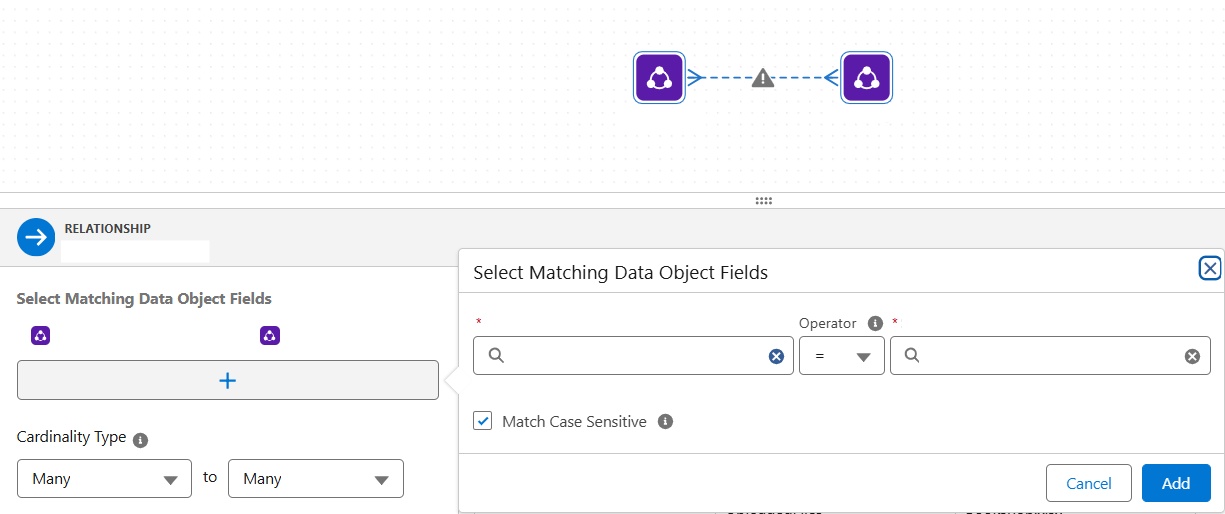
Similar to joins and unions, you can define the cardinality type here. You can also click the “+” icon under “Select Matching Data Object Fields” to choose the fields to relate and specify the operator.
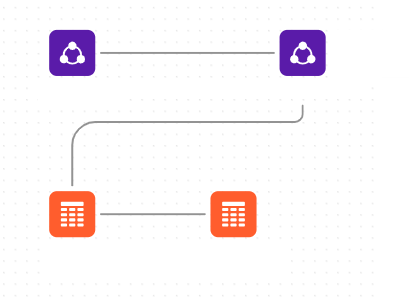
As mentioned before, you can relate data objects and logical views. So, once you create joined or unioned tables in your logical view, you are able to relate them.
This was a short guide on how to perform joins, unions, and relationships in Tableau Next—hopefully it clarified some steps needed to prepare your data for analysis!