


Introduction:
This report converts the Backpacker Travel Index into a structured Power BI Report. Data were acquired and prepared in Alteryx using web-scraping and regex to standardise city, country, and price fields. Version 1 focuses on the core index and city population to enable comparable cost views; subsequent iterations will extend to accommodation and food budgets for broader decision support.
Brief:
- Scrape the main Backpacker Index page
- Scrape each city’s detail page (hint: focus on the tables)
- Build your dashboard in Power BI
- Prepare for your Presentation (10 mins max)
- Write your blog post, include your plan, challenges, key finding and surprises and a link (embed your public Power BI report in your blog).
Data Prep:
Main Back Packer Index: Copied and pasted the URL into Power BI
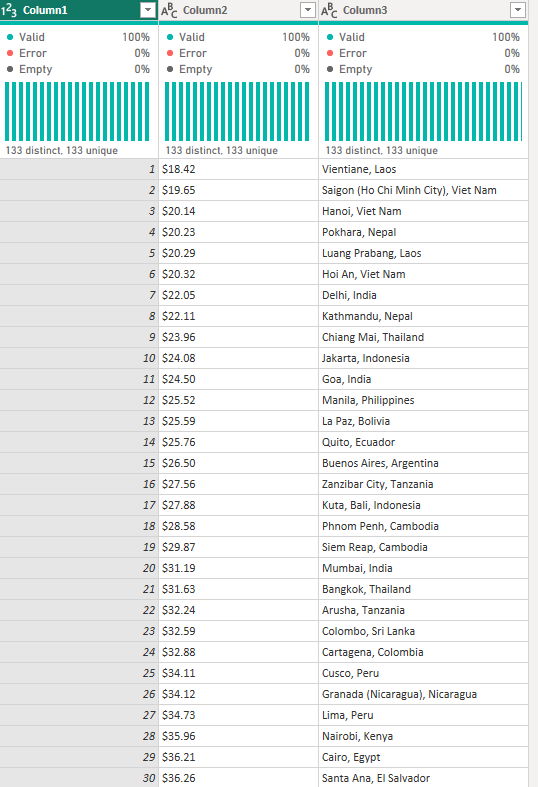
Clean the data set for use in Report:
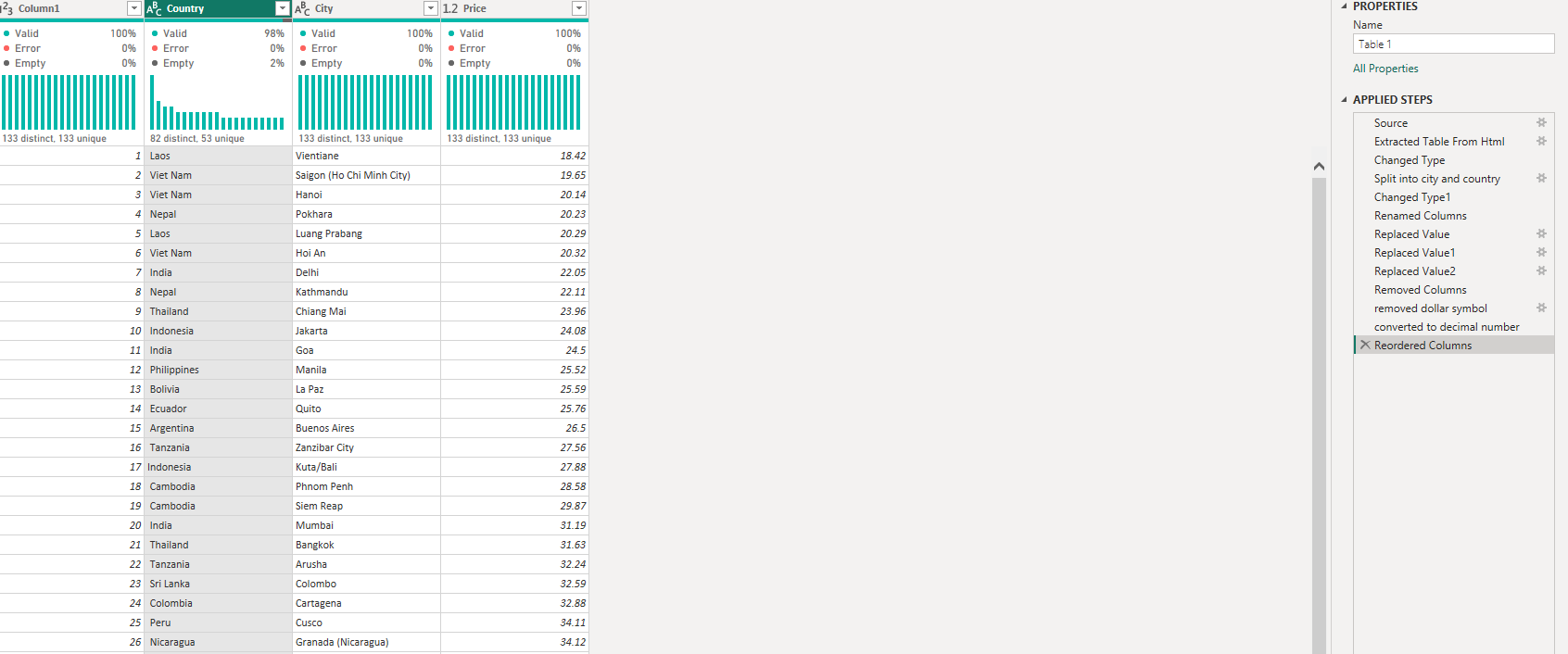
Index Table:
1) Split columns for city and country
2) Change Column headers to make it relevant: Price, City and Country
3)Change the data type for the price column from string to decimal by removing the dollar symbol and making it a decimal number type
Cleaned version:
what does each row represent?
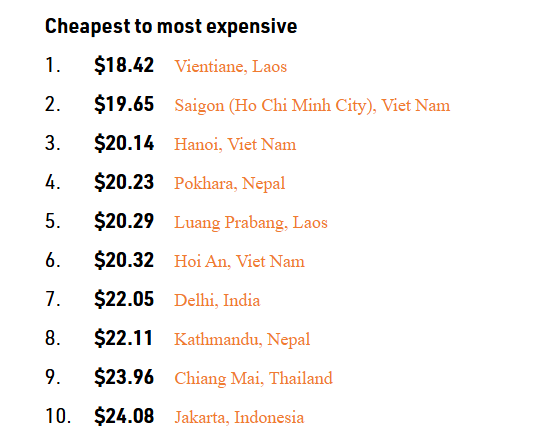
the price index for each city and country
What does price index mean?
For each city this daily total includes:
- A dorm bed at a good and cheap hostel
- 3 budget meals
- 2 public transportation rides
- 1 paid cultural attraction
- 3 cheap beers (as an “entertainment fund”)
2)Web scrape relevant data from each city
When click on link for each city from main index the URL changes for each city so having a way to web scrape the relevant information dynamically from URL before price guide would best:

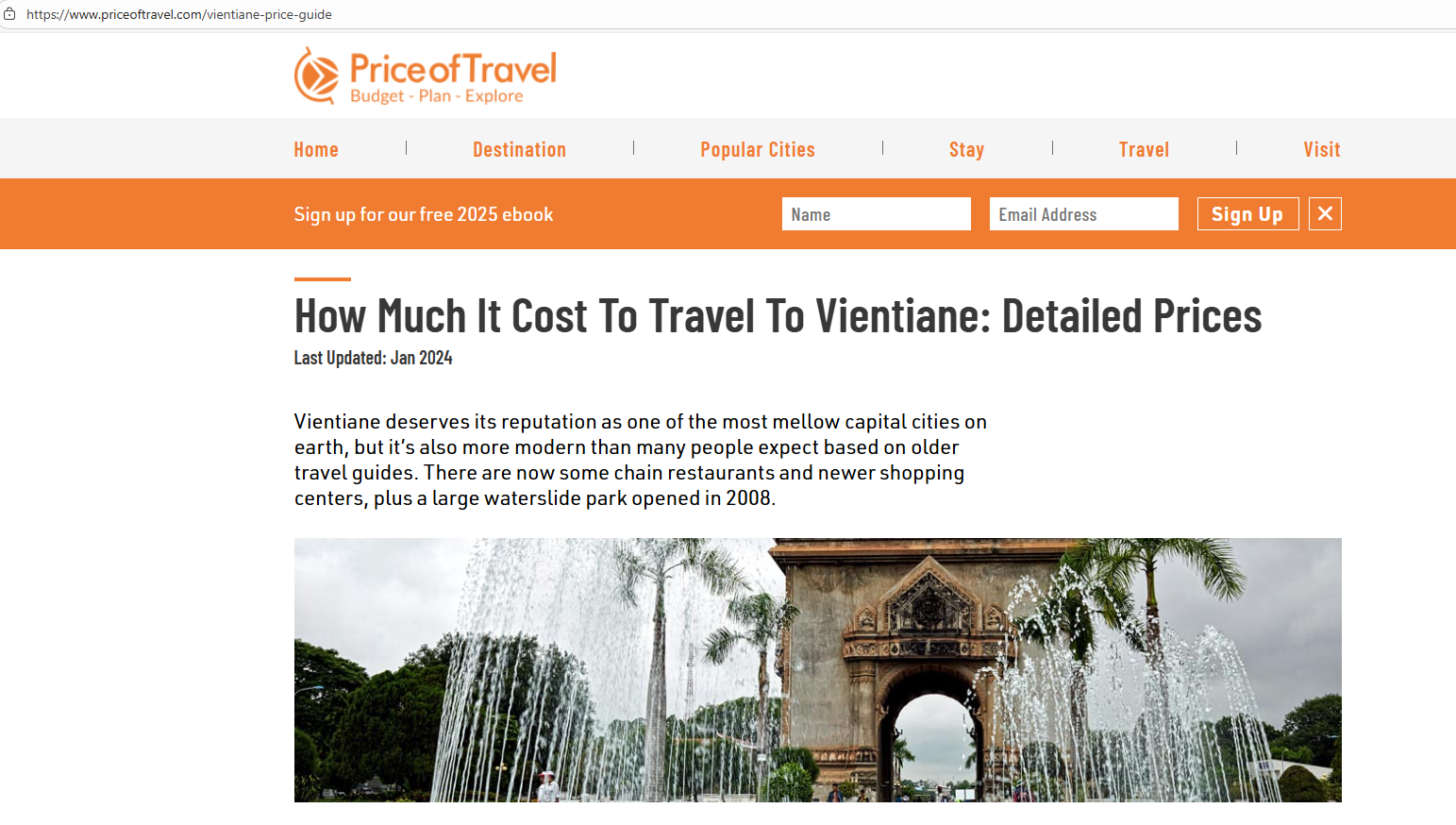
Approach:
Use Alteryx where have a table of all the city names and then use the list to dynamically change the URL where it will pull the relevant data for each city. When inspecting on the website the relevant table is between <tbody>

Workflow:
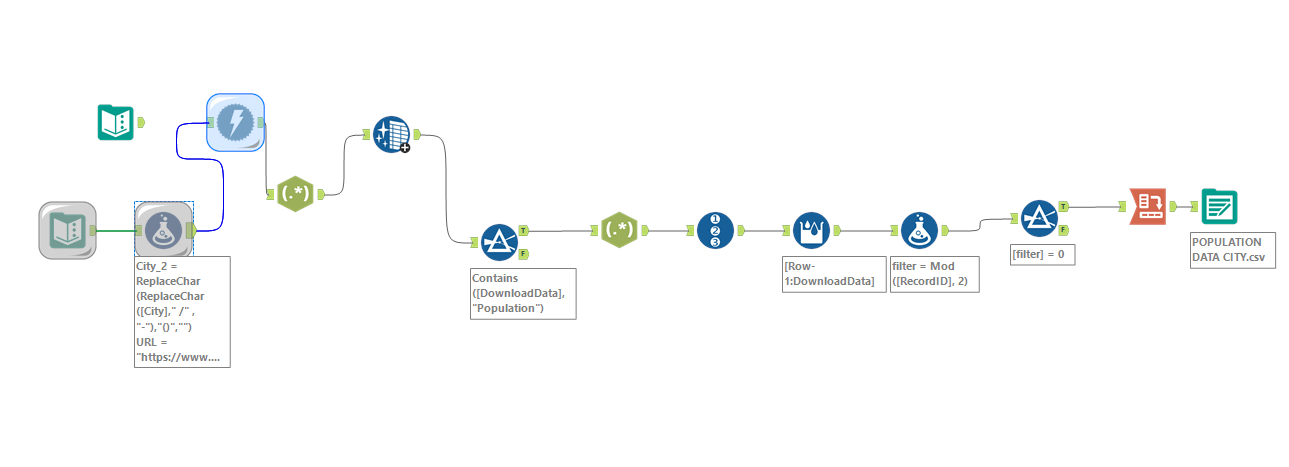
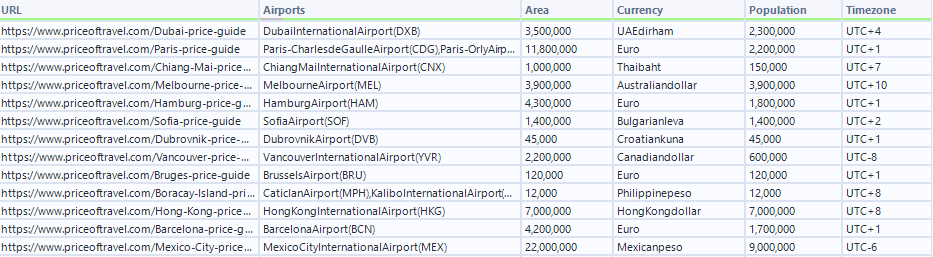
Tested it first with population table to see if the logic would work first and then can implement to other tables.
Step 1:
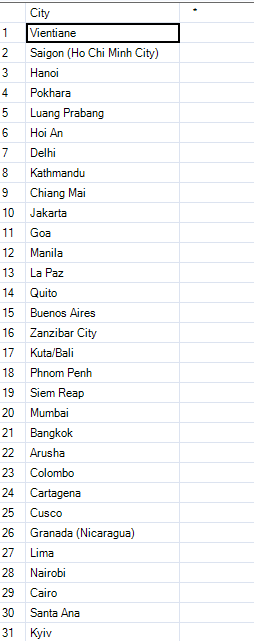
Used input table tool to copy the list of city names
Step 2:
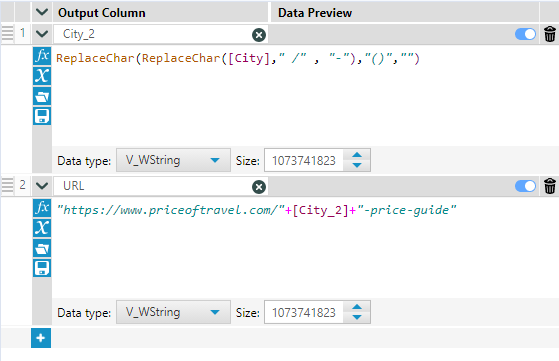
Used a formula tool to add 2 additional columns to make a list of the URL's to be able to then scrape the data for each city.
1) City_2 : As some of the cities had / or blank where there was a space while the URL had - between spaces or brackets to replace with blank to match the URL's for the website.
2)URL: Used the previous field to be able to dynamically change URL for each city.
Step 3:
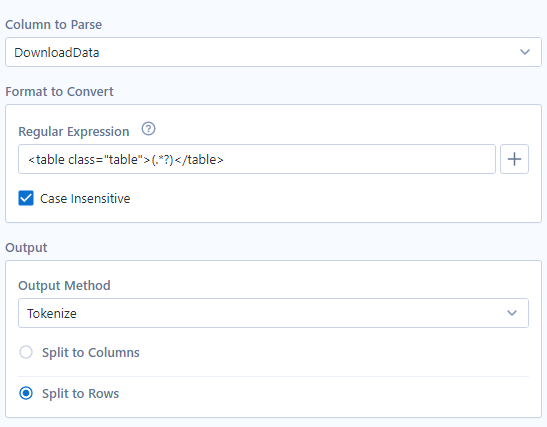
Used download tool to web scrape the data from the URLs and then used reg ex tool select the tables from each page.
Step 4:
Cleaned the data and then used a filter to create a flow specific for the population table for each city.
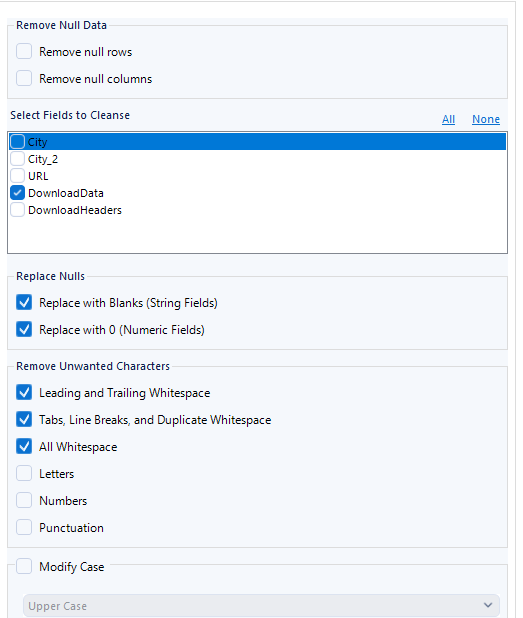
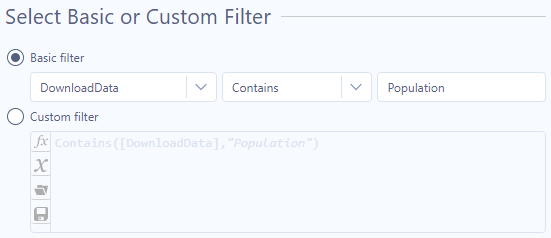
Step 5:
used another regex tool to extract the values of the headers and values for each row of the table
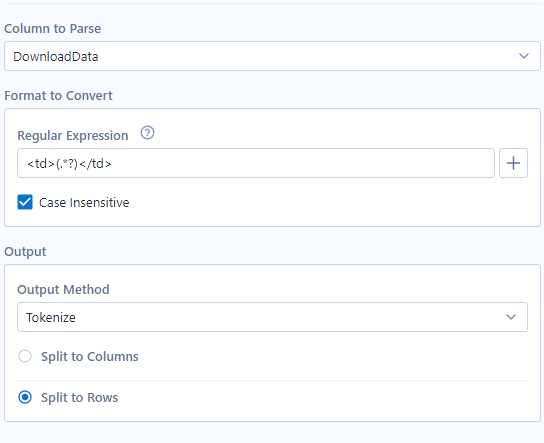
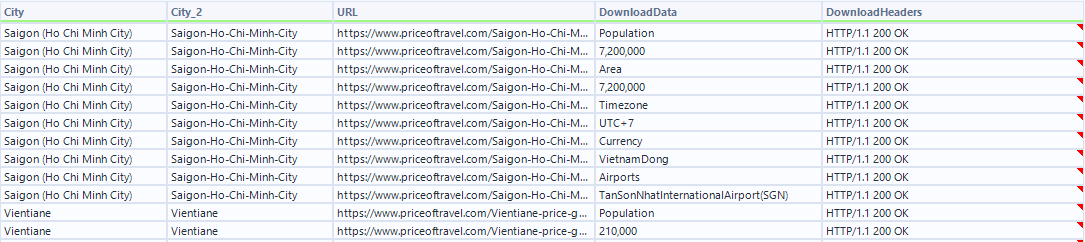
Step 6:
Transform the data in the right format assigning each record with a ID and then a multi row formula tool to create a new column that will allow me to cross tab and have the field names as columns and values underneath rather than all field names and values in one column.
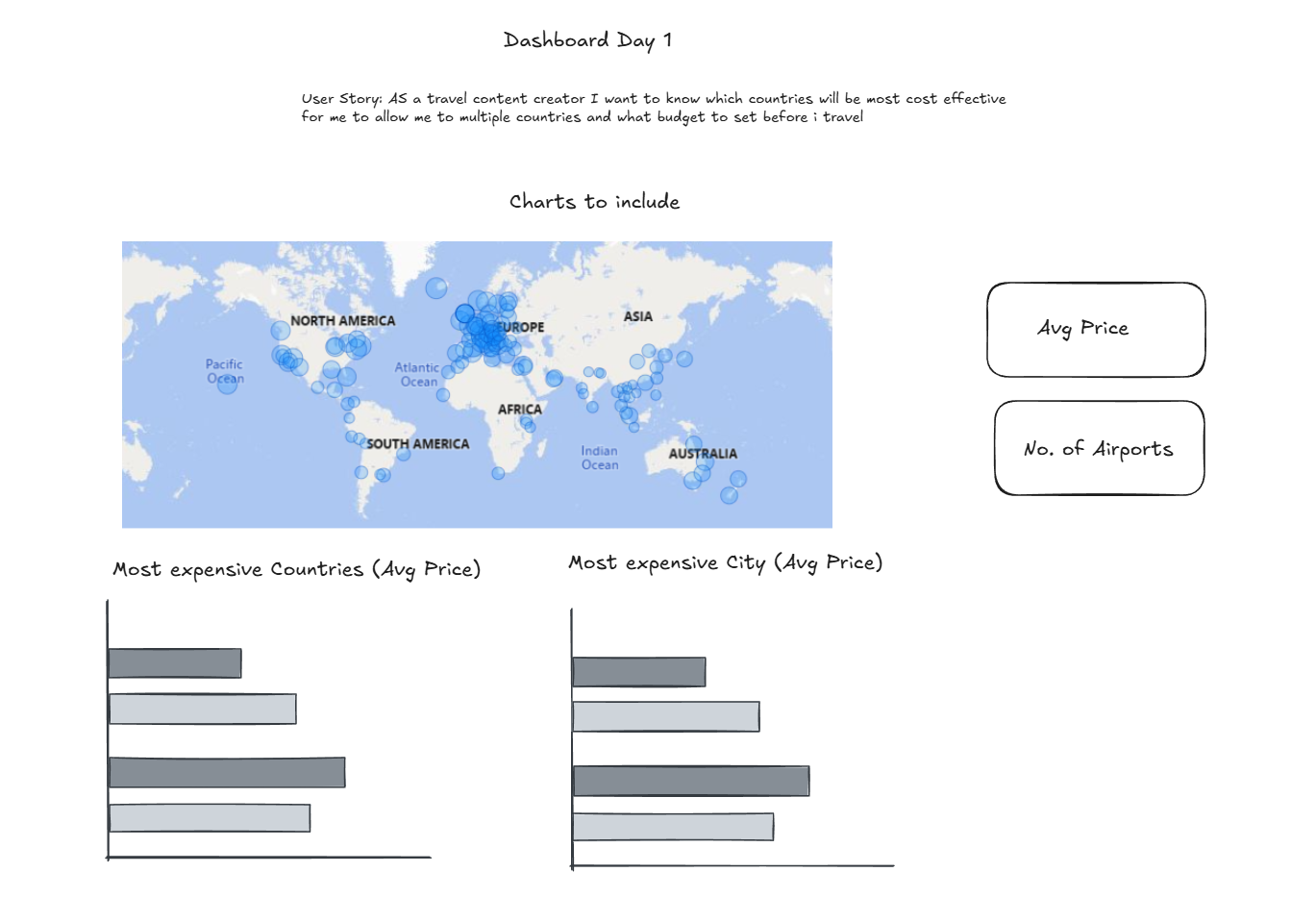
Sketch of the dashboard :
Challenges:
Bringing in the overview price index URL with the relevant countries and cities was the easy part. The blockers came during data preparation, which highlighted that I need more practice with web scraping and regex in Alteryx. I went through a lot of trial and error to both clean the data and transform it so it could be used while dynamically pulling information from different URLs. These steps took longer than I expected, so my final report was simpler , focusing only on the overview price index and the population table for each city.
Next Steps:
- Apply the same Alteryx logic used for the population table to other key traveller categories (e.g., hotels and food/budget) to provide more rounded insights for the use case.
- Continue practising regex patterns and web-scraping techniques in Alteryx to reduce data-cleaning time and improve reliability across multiple URLs.
- Research the alternative option which exclusively used Power BI to web scrape the data